What Happens After Checkout? How Grocery POS Software Keeps Stock Moving
A customer buys the last two units of a promoted product. Payment goes through, the receipt prints and the shopper leaves. For the customer, the transaction is finished. For the retailer, several things have just changed.
The store now has two fewer units. Another location may still have plenty. A purchase order could already be on the way. The item may also be available online. If it is fresh or batch-controlled, the remaining shelf life may influence what the retailer does next.
That is why grocery POS software cannot stop at recording the sale. Checkout needs to stay connected with inventory, receiving, transfers, pricing and replenishment so teams can see what changed and decide what should happen next.
The scale of the job is significant. FMI reports that the average U.S. supermarket carried 33,248 items in 2025, while food retail out-of-stocks averaged 5.8%. It also found widespread use of data analytics across areas such as assortment planning, replenishment, pricing and promotions.
Why Checkout Is Only the First Stock Update
Checkout is the narrow part, and it is worth being precise about how narrow. Scanning items, applying a payment, issuing a receipt, completing the transaction. That is the whole job, and describing it that way is not a criticism. Plenty of retailers need exactly this and nothing more, at least for a while.
Every sale should leave the retailer with a more accurate view of stock. For a packaged item, that may simply mean reducing the available quantity at the selling store. Grocery becomes more complicated when products are sold by weight, tracked by batch or expiry date, included in a promotion or available across stores and online.
The useful question is not only, “Did the POS complete the transaction correctly?” It is also, “Does the rest of the business now know what changed?”
If checkout and inventory are working from different information, the sale can be correct while the stock position is already behind. Multiply that across thousands of products and several locations and small differences become much harder to spot.
Good stock management starts with reliable stock records. Grocery adds another layer because expiry, weight, location and demand can all change what the retailer should do next.
One Stock Number Is Not Enough Across Multiple Stores
Imagine Store A has six units left while Store B has 35 of the same product and is selling them slowly. The business owns 41 units, but that total does not tell Store A whether it can keep the shelf full tomorrow. It also does not tell the buyer whether another order is necessary.
Multi-store grocery retailers need to know where stock actually sits. That may include the shop floor, back room, warehouse, another store, stock already in transfer and goods still due from suppliers.
Receiving matters just as much. If 20 units arrive but only 18 are recorded, every later decision begins with the wrong number. The same problem appears when a transfer leaves one location but is not received correctly at another.
Sales, purchasing, receiving and transfers therefore need to work from the same stock picture. Connected retail management software helps reduce the need to reconcile separate reports after the fact.
Fresh, Weighed and Batch-Controlled Products Change the Rules
Thirty cans and thirty trays of yogurt may show the same quantity in stock. They do not carry the same inventory risk.
Fresh and batch-controlled products have a selling window. Retailers may need to know which batch arrived first, what is approaching expiry and what can still be sold. Produce, deli and other items may be sold by weight rather than by unit.
Those are normal grocery processes, but they make the stock record more detailed. Expiry dates need to stay attached to batch-controlled products, weighed items need to reduce stock correctly, and barcode information may need to carry details such as unit of measure or batch.
The quantity alone is therefore not enough. Thirty units at the wrong location, in the wrong batch or close to expiry can mean something very different from thirty units ready to sell.
For retailers assessing this area, supermarket POS software should be able to handle these grocery-specific requirements without forcing teams to maintain separate processes around the till.
Promotions Can Change the Stock Picture Quickly

A promotion can perform well from a sales perspective and still create an inventory problem.
An item that normally sells steadily can move much faster once an offer starts. Store A may sell through its stock while Store B still has enough for several days. If the teams managing promotions and inventory cannot see that difference quickly, a successful campaign can end with an empty shelf in the wrong location.
Pricing, promotions and stock therefore need to be viewed together. Retail teams need to know which stores are selling faster, where stock remains available, what is already on order and whether more inventory is actually required.
Scheduled price changes also need to reach stores consistently. A promotion is difficult enough to manage without different locations working from different prices or offer periods.
Our guide to cloud POS for price and promotion control looks more closely at that side of the problem.
The POS will not decide how much stock a retailer should buy. It does, however, provide one of the clearest signals available: what customers are buying now.
Reorder or Transfer?
Low stock does not always mean “buy more.”
If one store is running short while another has excess stock, moving what the business already owns may make more sense than placing another purchase order. If several stores are running low and there is little inventory elsewhere, buying more may be the better choice.
A simple sequence helps:
What has sold?
What is left at this store?
What stock is available elsewhere?
What is already on the way?
Should we transfer or reorder?
Good grocery inventory management depends on having enough current information to answer those questions. It also helps avoid a familiar problem: buying additional stock while the same product is already sitting elsewhere in the network.
What to Test in a Grocery POS Demo
A grocery POS demo should look like a grocery store, not three easy products in a basket.
Ask what happens when the last unit sells at one location, produce is sold by weight, a batch-controlled item approaches expiry, inventory needs to move between stores, a scheduled price change goes live and goods arrive against a central purchase order.
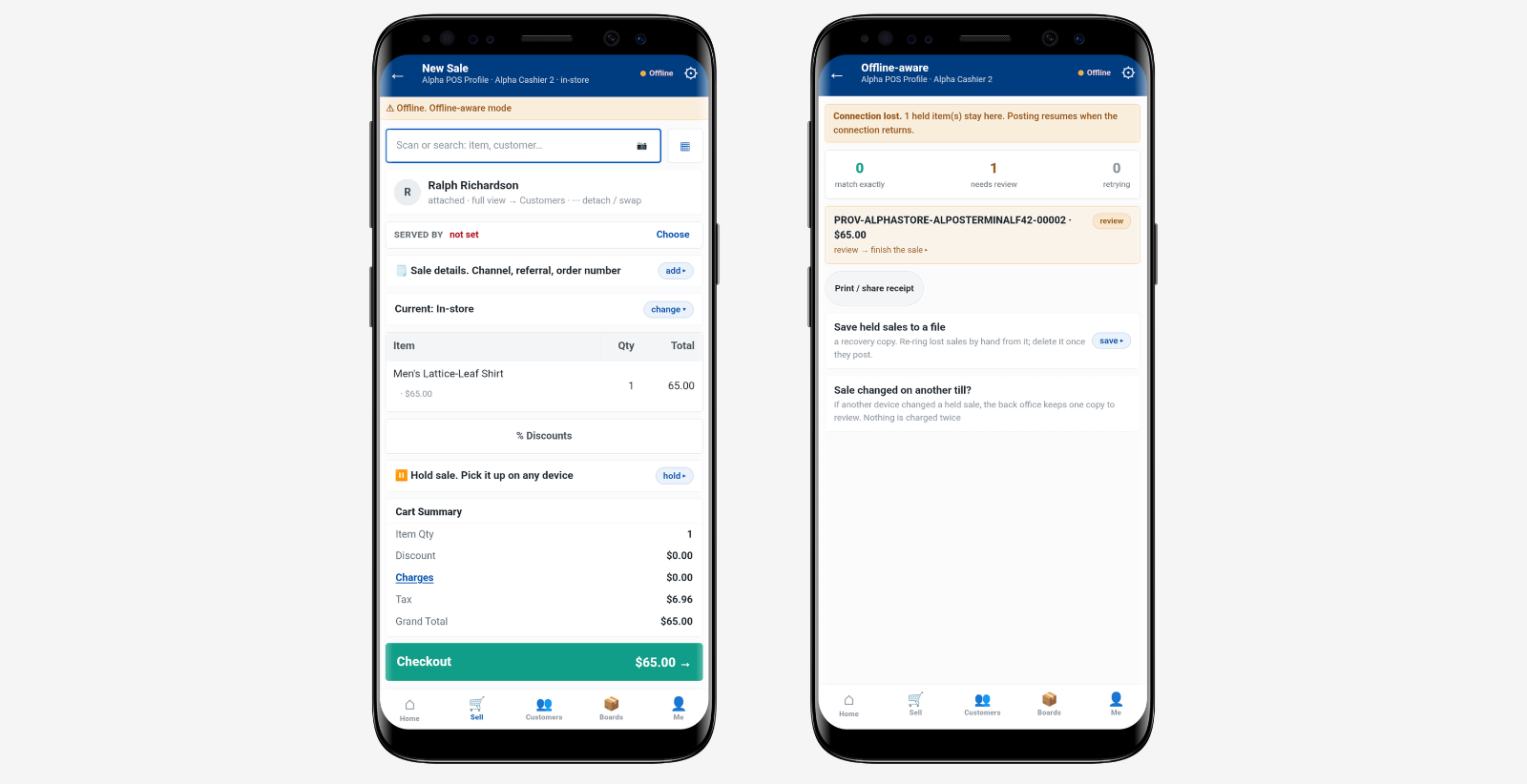
It is also worth testing what happens during a temporary loss of connectivity. Can the store continue trading? What happens to the transactions once the connection returns?
Most importantly, follow the information after the sale. Has inventory changed? Can head office see it? Can another store act on it? Does someone still have to update a second system manually?
Those answers tell you more about a grocery POS system than checkout speed alone.
Better Grocery POS Starts With Better Stock Decisions
The till is where the sale happens. It should not be where the information stops.
For grocery retailers, one transaction can affect availability, transfers, replenishment, purchasing and the next customer order. Keeping those processes aligned gives teams a clearer view of what changed and what needs attention.
A good grocery POS setup should therefore answer a bigger question than, “Did the sale go through?”
It should help the retailer understand what needs to happen to the stock next.