
Acumatica keeps the books. iVendNext runs the stores.
An Acumatica POS that keeps selling when the network drops: iVendNext runs your stores on till, tablet and phone, takes items, prices and customers from Acumatica, and sends every sale, return and payment back to it.
iVendNext POS is the selling app of iVendNext, the open retail platform. The Acumatica connector is in the App library.
What moves between Acumatica and your stores
Acumatica owns your items, prices, vendors, customers and all the accounting. iVendNext owns what the till collected, and sends it as tendered.
| From Acumatica to iVendNext | From iVendNext to Acumatica |
|---|---|
|
|
| Both ways: a customer's phone, e-mail and address, once the customer is in both systems. | |
The connector checks Acumatica every minute, and prices, costs and warehouses follow each night. Acumatica works out its own tax on the sales it receives.
How set-up works
Your iVendNext partner or your own IT team sets it up on one settings page, then watches it on the Integrations Hub.
- Check your endpointUse Acumatica's endpoint version 24.200.001 or later.
- Create the connectionEnter your company, Acumatica's address and a sign-in: a user name and password, or an OAuth client.
- Map units and classesAdd a mapping for each Acumatica unit and each customer class.
- Test, register, switch onTest the connection, register it, give its user the roles it lists, and switch it on in the Integrations Hub.

What iVendNext adds to Acumatica
Acumatica stays the system your finance team knows. iVendNext adds the store floor and the stockroom, built for retail chains with many stores.
One POS on till, tablet and phone
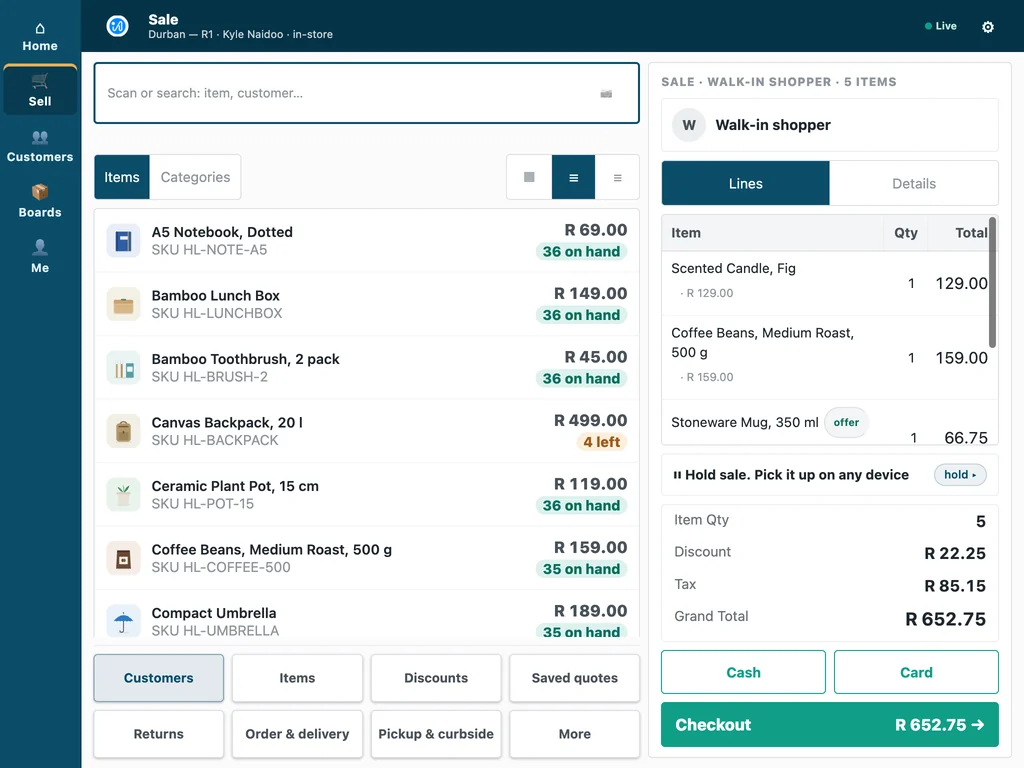
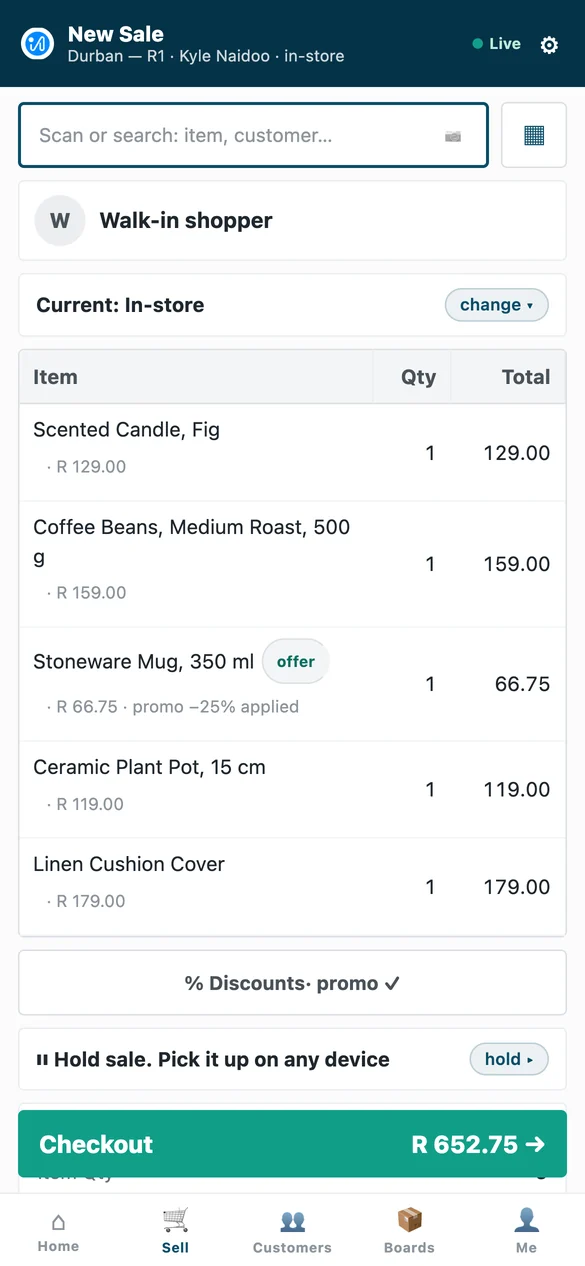
The same iVendNext POS on a counter till, a tablet and a phone, so staff learn one screen. It keeps selling when the network drops and catches up when it returns, and approvals arrive on the manager's own phone.
Stock work where the stock sits
iVendNext Handheld receives deliveries against the purchase order, moves stock, counts shelves and picks orders on a phone or a rugged scanner, on the same stock ledger the stores sell from.
Loyalty, promotions and payments
Earn and redeem loyalty points, run promotions and sell gift cards at every till, and take card terminals and mobile money, M-Pesa included, through your own payment provider.
Fiscal rules for your market
Tax and e-invoicing rules are configured per country, with country modules such as ZATCA in Saudi Arabia, eTIMS in Kenya and CFDI in Mexico, and partners build modules for other markets with the kit.

For Acumatica partners
Your customers keep Acumatica for the books. Refer their stores to iVendNext, keep your Acumatica relationship and your services, and win the retail deals you lose today without building a retail practice. Our partner team explains how the stores are delivered.
Referral Partners · The retail practice guide for ERP partners · Talk to our partner team
Acumatica POS: your questions
Does iVendNext connect to Acumatica?
Yes. The Acumatica connector is in the App library: Acumatica keeps your books and masters, and iVendNext runs your stores on till, tablet and phone.
What does Acumatica keep, and what does iVendNext run?
Acumatica keeps your items, prices, vendors, customer identity and all the accounting. iVendNext runs the stores and sends what each till collected, as tendered.
How long does a connection take?
It depends on your mapping. The connection itself is four steps on one settings page, and the time goes into mapping your units, customer classes, warehouses and accounts with your partner.
Does the POS keep selling if the network drops?
Yes. iVendNext POS keeps selling when the network drops and catches up when it returns, and the records for Acumatica wait on the Hub until they can be sent.
Who sets it up, and how does support work?
Your iVendNext partner or your own IT team sets it up. Support runs 24 hours a day, every day of the year, and a critical issue has a one-hour response target, as our support page publishes.
What does it cost to start?
Talk to us. Tell us how many stores and tills you run and which systems you use, and we will show you your own stores running on iVendNext.
See your stores running beside Acumatica
Tell us how your stores work. We will show you iVendNext POS, the documents in Acumatica and the partner who can set it up near you.
Book a demoBuilding retail solutions? Talk to our partner team.
