Inventory management software, warehouse to shelf
Run the stock on iVendNext, the open retail platform: one stock ledger across every store.
Inventory management software for retail chains, where every store sells from one stock ledger. Track batch, serial and expiry, buy with purchase orders and receipts, move stock between stores, count shelves with iVendNext Handheld, and let Foresight draft the next order. Your warehouse system, 3PL or marketplace connects to the same ledger.
Stock management software every store shares
Every sale, receipt, transfer and count is a stock document on the same ledger, so every store reads the same figure.
- Set up each item once and see its stock in every store and warehouse.
- See what is on hand, on order and reserved in one place.
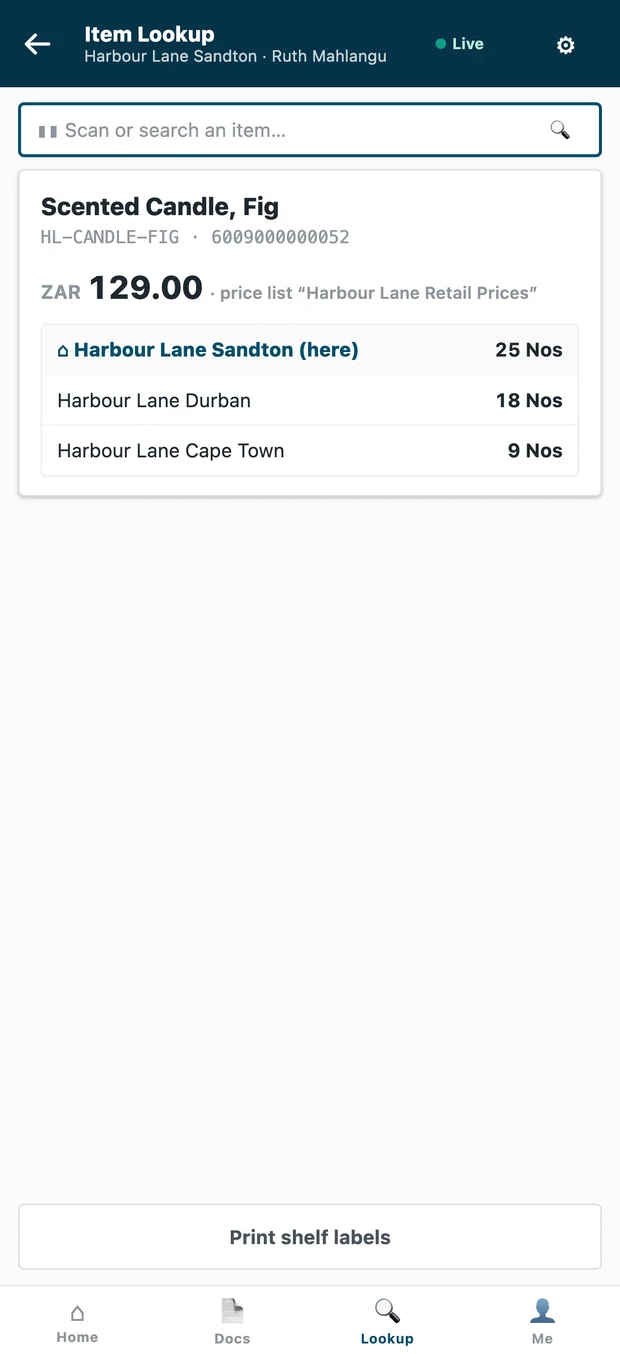
- At the till, a cashier sees the item in other stores and can send it home or set it for collection there.

Every lot and every serial, from receipt to sale
Lots and expiry dates
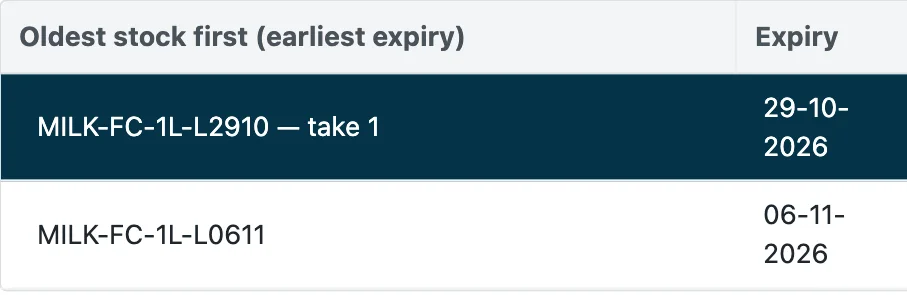
Each lot keeps its expiry date. At the till the lot that expires first is offered first, and an expired lot is stopped at an online till.
Serial numbers
Capture each unit's serial at receipt, at the count and at the sale, and find the sale a serial belongs to on a return.

Markdowns and recalls
Mark down lots near their expiry date by your own steps, and block a recalled lot at every online till at once, with its stock found in every store.
Purchase orders and receipts, store by store
Buy centrally or let each store order, and receive every delivery against what was ordered.

Order
- Compare supplier quotes side by side.
- Combine demand from stores and approve orders centrally.
- Blanket and drop-ship purchase orders.
- A purchase request raised when stock reaches its reorder point.
Receive and cost
- Receive against the purchase order on a phone or a rugged scanner.
- Return to the supplier from the same app.
- Add freight and duties to get the true landed cost of every item.
- With your ERP connected, purchase orders and receipts stay in step with it.
Receive, move, count and pick where the stock sits
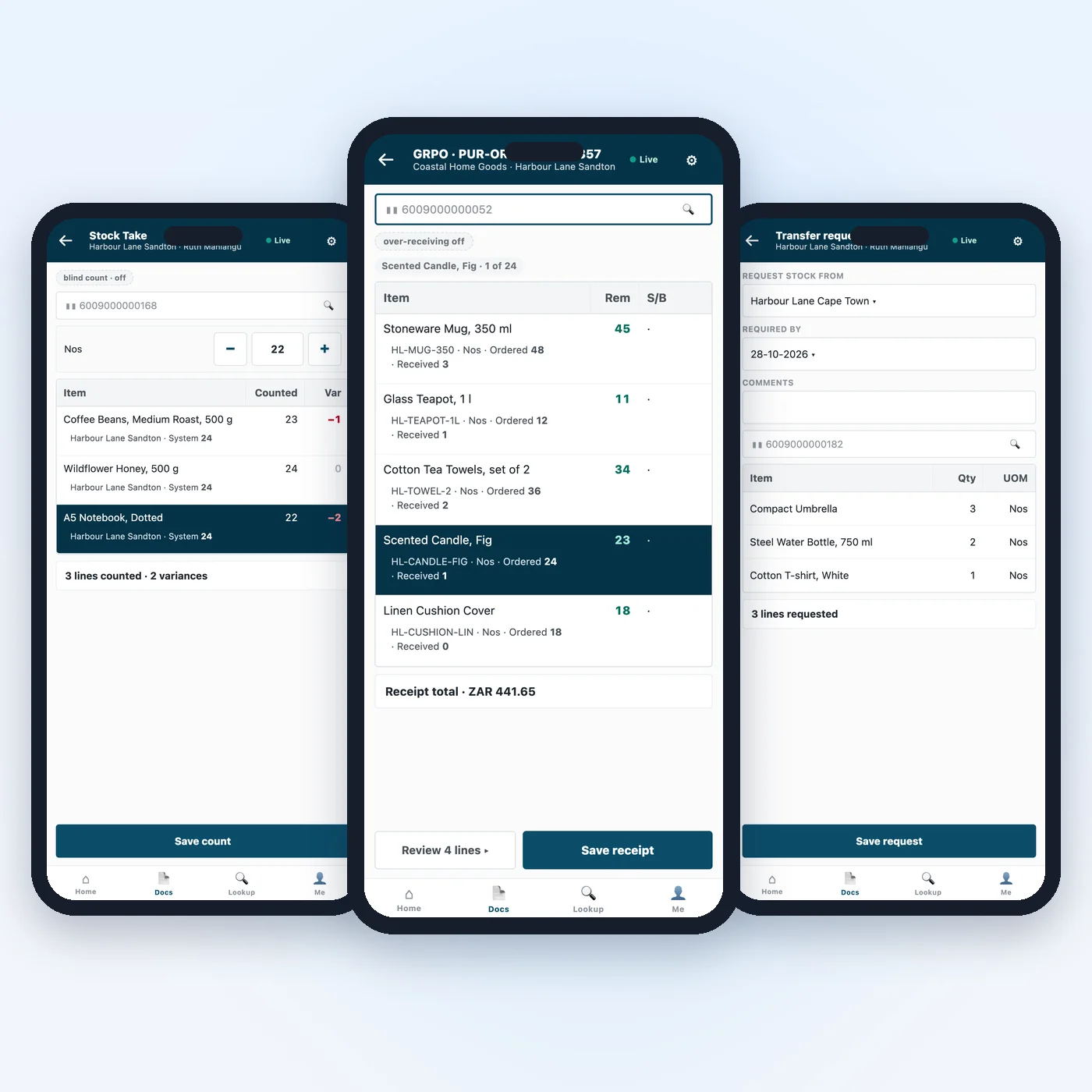
iVendNext Handheld puts stock work on a phone or a rugged scanner, from the warehouse to the shelf. Every scan posts to the same ledger the tills sell from.
- Count a shelf and see each line's variance before you save.
- Move stock between stores and locations in a few scans.
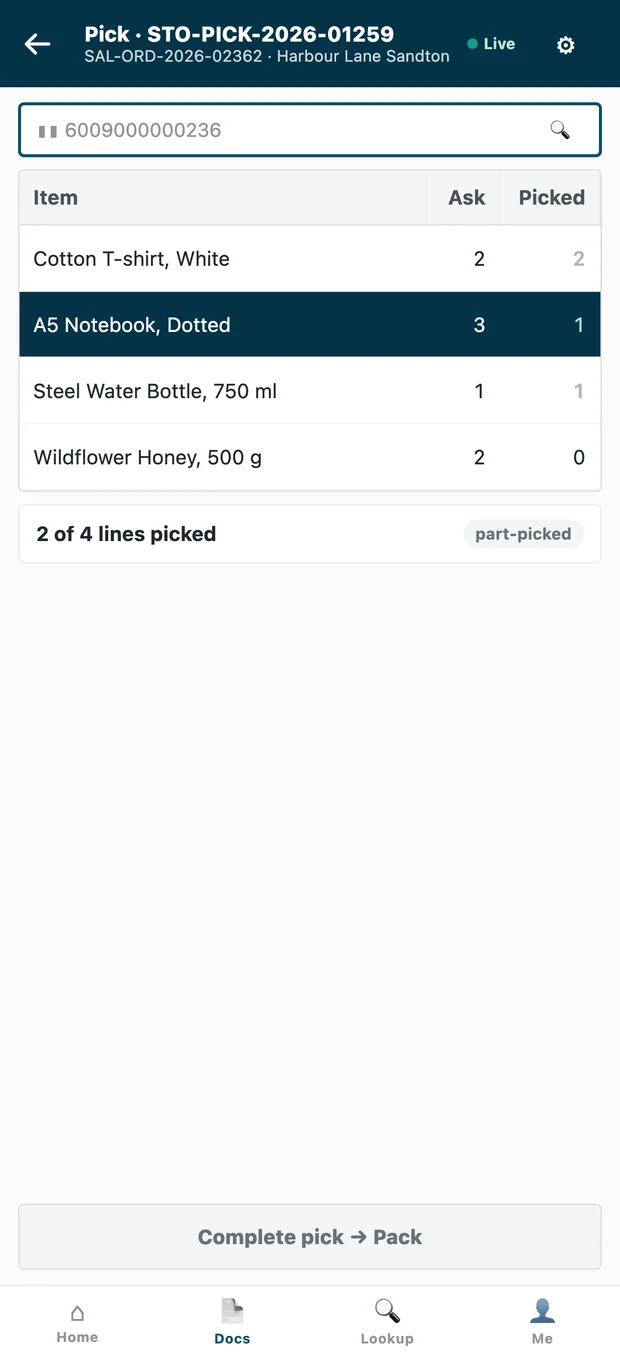
- Pick, pack and deliver orders, and look up any item and its stock in every store.
- Queue shelf labels to print from iVendNext Desk.
Foresight drafts the next purchase order
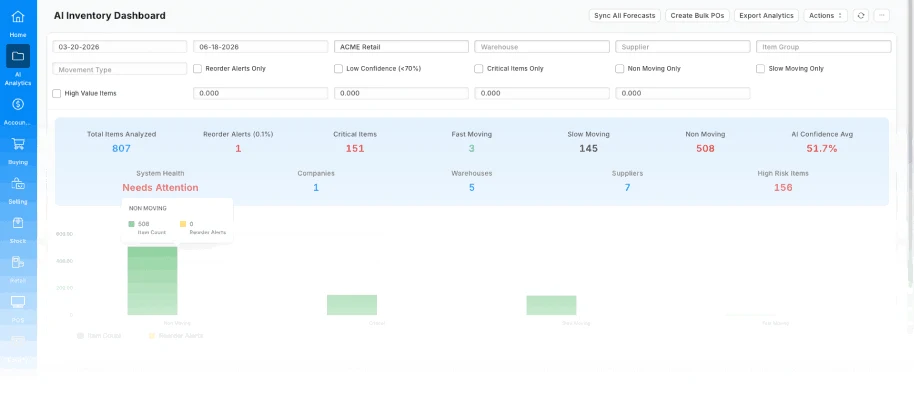
Retail inventory planning software that works from your own sales: Foresight forecasts what each warehouse will use and drafts a purchase order when stock runs low. Your buyer reviews it before it goes.