
Home > Resources > Comparisons > iVendNext and Odoo
Compare: iVendNext and Odoo
Odoo POS alternative for retail chains
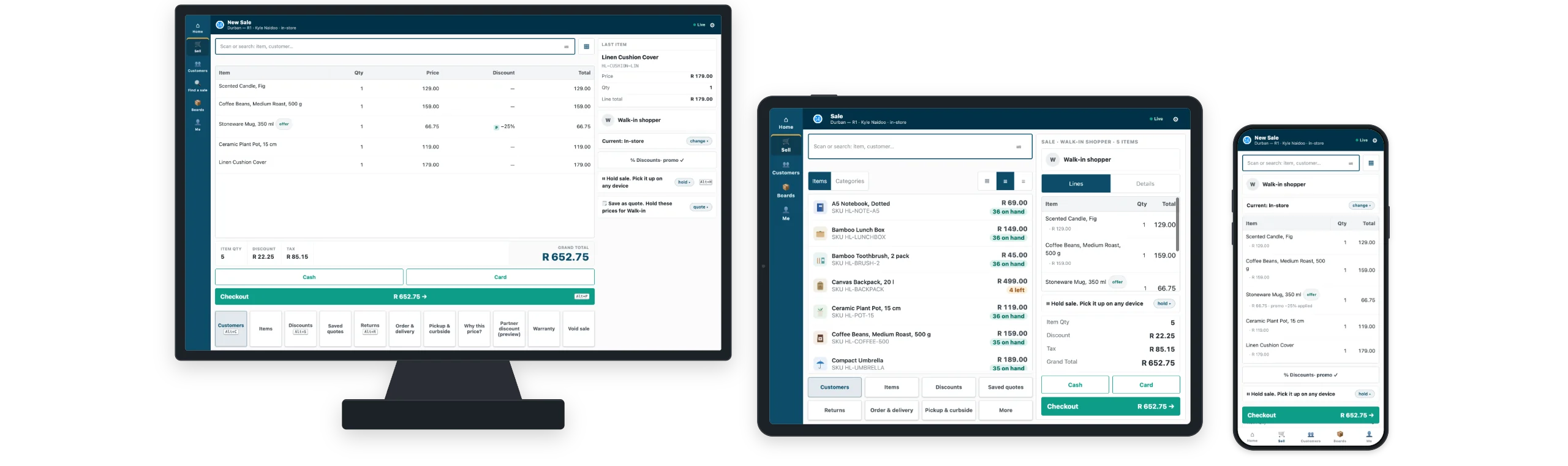
If Odoo is on your list, compare iVendNext, the open retail platform: one iVendNext POS on a till, a tablet and a phone, stock work on iVendNext Handheld, and either the ERP you already run or iVendNext's complete back office.
This page sets out what each does, so you can judge them on your own stores.
Who this page is for
When Odoo fits, and when iVendNext does
Odoo is a suite of business apps, with accounting, inventory and a point of sale on one database, sold through a large partner network in many regions, Africa and the Middle East among them. Its POS runs in a web browser on any device and keeps selling when the connection is lost for a while. For a business that wants one suite for every department, it is a natural choice.
This page is for retail chains that want a platform made for the store: one POS on till, tablet and phone, stock work on a scanner, and either the ERP they already run or iVendNext's complete back office.
What the retailer needs
What a retail chain needs from its platform
The ERP you choose
Keep the finance system you trust, or run one system: the choice should be yours.
Every store the same way
Prices, promotions, returns and approvals that follow head-office rules at every till.
Stock work where the stock sits
Receiving, counting and picking on a scanner, on the stock the stores sell from.
Clean numbers in the books
Every sale, return and receipt reaching the finance system, clean and on time.
How iVendNext answers
Run every store. Connect anything. Build what you need.
One POS on the till, the tablet and the phone
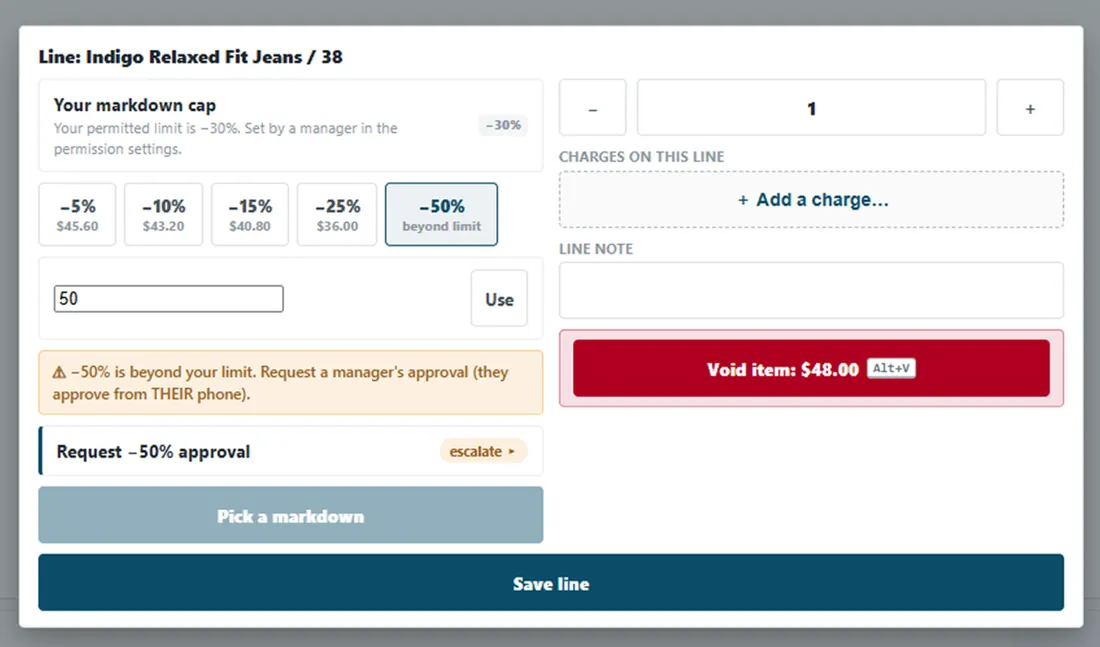
Staff learn one screen. Prices, promotions, returns and approvals follow head-office rules at every till, and a request beyond a cashier's limit reaches the manager's own phone.
Stock work where the stock sits
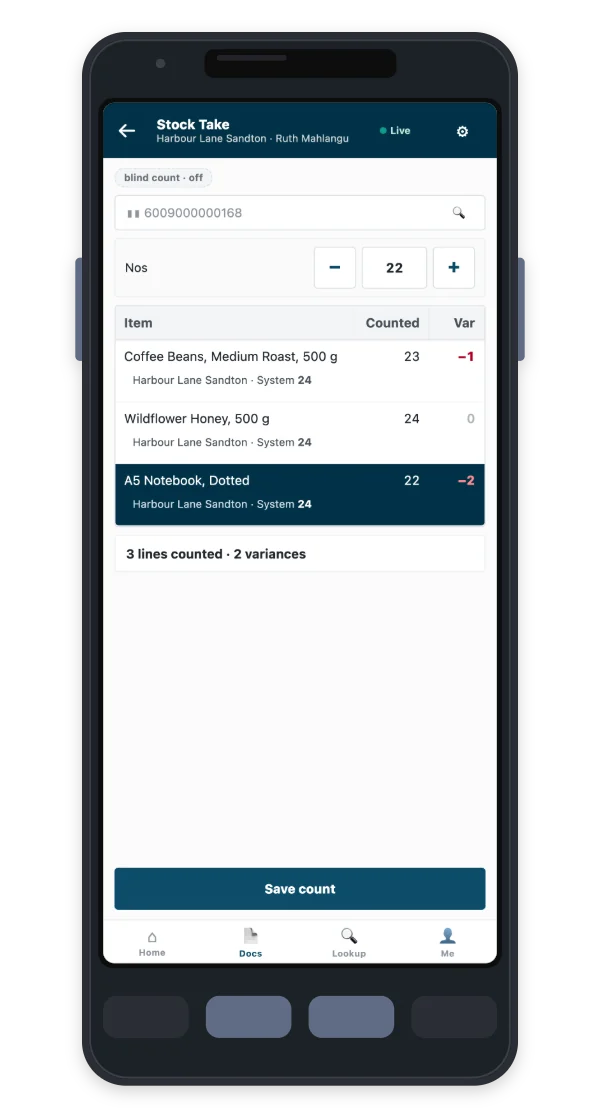
iVendNext Handheld receives deliveries against the purchase order, moves stock between stores, counts shelves, and picks, packs and delivers, on a phone or a rugged scanner. Every movement lands on the stock the stores sell from.
A till that keeps selling when the network drops
iVendNext POS keeps selling when the connection drops and catches up when it returns, so a Saturday outage does not close the store.
Your ERP keeps the books
iVendNext runs the stores and connects to the ERP you already run: SAP Business One, SAP S/4HANA, Acumatica, NetSuite, Sage X3 and many others. The Integrations Hub shows what synced, what is waiting and what needs a decision, and every mismatch is closed with a reason, by whom and when. A retailer who wants one system runs iVendNext's complete back office instead.
AI inside the work
- Foresight forecasts stock, sales and cash flow from your own data and drafts purchase orders for your team to review.
- CoPilot answers questions, drafts documents and runs reports in plain words, on every back-office page.
- AI Gateway connects the AI assistant you already use to your iVendNext data, inside each person's own permissions.
Build what you need, and keep it through upgrades
Your partner or your own team builds on documented extension points, in any language and with their own AI if they like. Apps add to iVendNext without changing its code, so what they build keeps working through every upgrade.
Payments your market uses
Card payments on Stripe Terminal readers, M-Pesa, and partner gateways for local banks, mobile money and wallets, each certified before it takes money.
At a glance
iVendNext and Odoo, side by side
| What to compare | iVendNext | Odoo |
|---|---|---|
| What it is | The open retail platform: the stores, the stock and the web store, connected to the ERP you run. | A suite of business apps on one database, with accounting, inventory and a point of sale among them. |
| Devices | The same iVendNext POS on a counter till, a tablet and a phone. | A browser app on any device. |
| Finance and the ERP | Keep SAP Business One, SAP S/4HANA, Acumatica, NetSuite, Sage X3 and many others, or run iVendNext's complete back office. | Odoo's own accounting and inventory, on the same database as the POS. |
| Ways to pay | Stripe Terminal readers, M-Pesa, and partner gateways for local banks and mobile money. | Paired terminals from providers such as Adyen, Stripe and SIX. |
| Stock work | iVendNext Handheld: receive, move, count, pick, pack and deliver on a phone or a rugged scanner. | The Odoo Barcode app for receipts, transfers and counts. |
Odoo details come from Odoo's own documentation as read on 3 July 2026; offline selling re-checked on 12 August 2026. Products change: check any detail with Odoo or your Odoo partner before you decide.
What moving looks like
Move store by store, on your own timetable
Use all of iVendNext, or connect the parts you already have. Most retailers start where the pain is and add the rest when it suits them.
See your own stores on it
A demo on your own items, prices and store layout, so you judge it on your trading day, not ours.
Keep the ERP, connect it
Your ERP keeps the books. The Integrations Hub connects it (SAP Business One, SAP S/4HANA, Acumatica, NetSuite, Sage X3 and many others) and shows every sync on one screen.
One store first, then by group
Start with one store, then move by store group or region. A phased move is safer than switching every store at once.
Your partner sets it up
A Solution Partner in your country sets up iVendNext and builds what your business needs. Where no partner covers your country, CitiXsys delivers.
Questions worth asking any vendor
Questions to ask every vendor on your list
- Do you want one suite for every department, or a retail platform beside the ERP you trust?
- Which ERP keeps your books, and does this choice ask you to move it?
- Can every till, tablet and phone apply the same prices, promotions and approvals?
- Who builds what your stores need beyond the product, and does it survive upgrades?
- Which tax and e-invoicing rules does each country need, and who maintains them?
- When the line drops, what can a cashier still do?
Fiscal rules by market
Tax and e-invoicing for the countries you trade in
Tax, e-invoicing, payments and receipts change by country, and they belong in the plan before the first store moves. iVendNext has country modules for these markets, and partners build for others on the same platform.
Saudi Arabia: ZATCA
E-invoicing to the ZATCA rules, through iVendNext's country module for Saudi Arabia.
Kenya: eTIMS and M-Pesa
eTIMS invoice submission and M-Pesa payments for retailers in Kenya.
Mexico: CFDI
CFDI digital invoices for retailers trading in Mexico.
Every other market
iVendNext is set up for your tax structure and companies during the project, and a partner builds a country module where one is needed.
Questions
iVendNext and Odoo: common questions
What is a good Odoo POS alternative for a retail chain?
iVendNext is one, for chains that want a platform made for the store and a free choice of ERP. For a business that wants one suite for every department, Odoo may be the better fit.
Can iVendNext run everything, like a suite?
Yes. Retailers who want one system run iVendNext's complete back office for accounting, buying, stock and selling, with the same POS and Handheld.
Does iVendNext replace my existing systems?
Use all of it, or connect what you already have. iVendNext runs the stores, the stock and the web store, and connects to the ERP and systems you already run, so you choose what moves and when.
Does iVendNext POS work offline?
Yes. iVendNext POS keeps selling when the network drops and posts the sales when the connection returns.
Who sets it up, and how does support work?
A Solution Partner in your country sets up iVendNext, or CitiXsys where no partner covers it. Support runs 24 x 7 x 365, with a first response within one hour for critical issues.
What does it cost to start?
Talk to us. We size iVendNext to your stores, devices and markets in a short first conversation and a demo on your own items.
See iVendNext beside Odoo, on your own stores
Bring your items, prices and store layout. We show the same sale on a till, a tablet and a phone, a delivery received on a scanner, and a sale arriving in your ERP.
Building retail solutions? Talk to our partner team.
