
SAP Business One keeps the books. iVendNext runs the stores.
Looking for a SAP Business One POS for every store? iVendNext POS sells on the till, the tablet and the phone, and every sale, return and transfer posts to the right SAP Business One document, with no retyping.
iVendNext POS is the selling app of iVendNext, the open retail platform. It comes from the team behind iVend Retail, our retail system for SAP Business One.
What moves between SAP Business One and your stores
iVendNext talks to SAP Business One through its Service Layer. Each store is a warehouse in SAP Business One, so stock, prices and money flow cleanly between the two.
| From SAP Business One to iVendNext | From iVendNext to SAP Business One |
|---|---|
|
|
| Both ways: items and item groups, customers and customer groups, vendors and vendor groups, units of measure, sales persons, manufacturers, banks, surcharges and industries, plus special orders, purchase orders and goods receipt POs. | |
A master can be created in either system; its direction is set per master. Every sync is listed by status, and a sync that fails is kept for a retry.
How set-up works
Your iVendNext partner or your own IT team sets it up, with your SAP Business One administrator.
- Add iVendNext to SAP Business OneYour SAP administrator installs the iVendNext add-on and opens the Service Layer to it.
- Connect and testEnter the Service Layer address and the company database in iVendNext, and test the connection.
- Load your mastersOn a fresh site, the first load brings your items, customers, price lists and warehouses from SAP Business One.
- Open the first storeSet up each store as its warehouse, choose who is told about a failed sync, and start selling.
What iVendNext adds to SAP Business One
SAP Business One stays the system your finance team knows. iVendNext adds the store floor and the stockroom, built for retail chains with many stores.
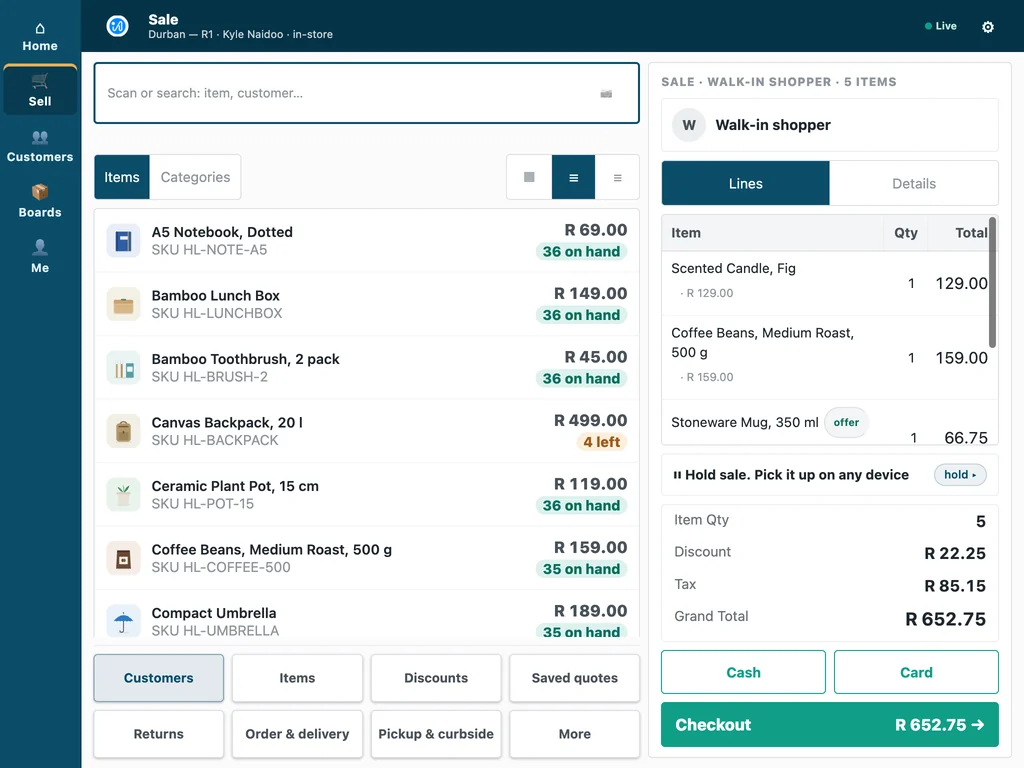
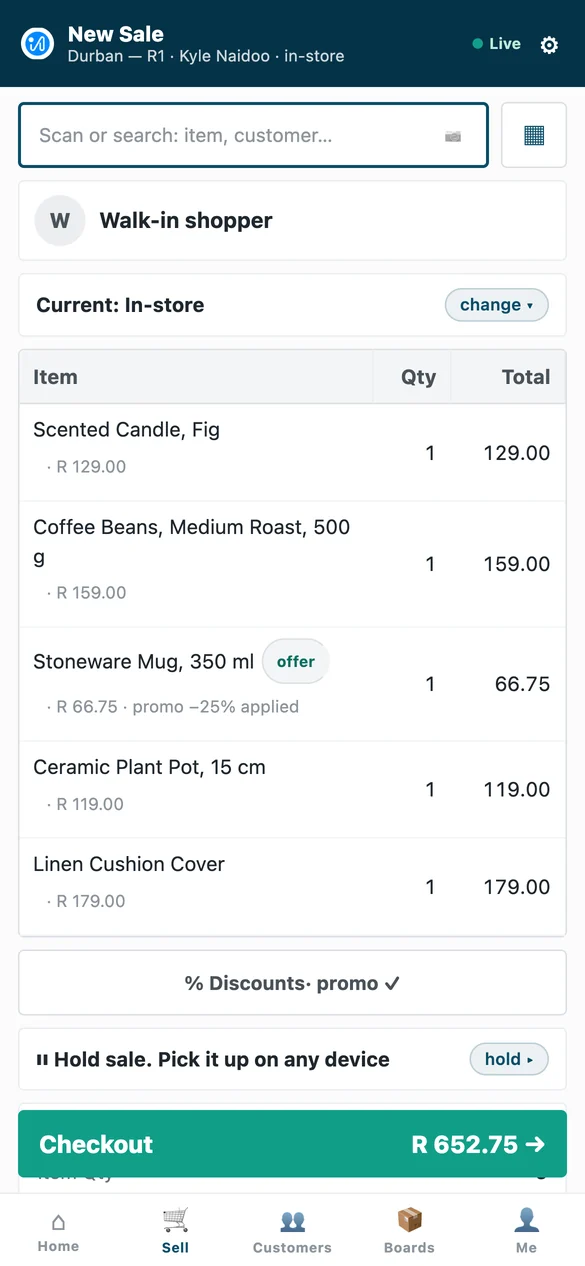
One POS on till, tablet and phone
The same iVendNext POS on a counter till, a tablet and a phone, so staff learn one screen. It keeps selling when the network drops and catches up when it returns, and approvals arrive on the manager's own phone.
Stock work where the stock sits
iVendNext Handheld receives deliveries against the purchase order, moves stock, counts shelves and picks orders on a phone or a rugged scanner, on the same stock ledger the stores sell from.
Loyalty, promotions and payments
Earn and redeem loyalty points, run promotions and sell gift cards at every till, and take card terminals and mobile money, M-Pesa included, through your own payment provider.
Fiscal rules for your market
Tax and e-invoicing rules are configured per country, with country modules such as ZATCA in Saudi Arabia, eTIMS in Kenya and CFDI in Mexico, and partners build modules for other markets with the kit.

For SAP Business One partners
Your customers keep SAP Business One for the books. Refer their stores to iVendNext, keep your SAP Business One relationship and your services, and win the retail deals you lose today without building a retail practice. Our partner team explains how the stores are delivered.
iVendNext comes from the team behind iVend Retail, which SAP Business One partners have taken to retailers for many years.
Referral Partners · The retail practice guide for ERP partners · Talk to our partner team
SAP Business One POS: your questions
How does iVendNext work with SAP Business One?
iVendNext runs the stores and SAP Business One keeps the books. Masters stay in step between the two, and every store transaction posts to the right SAP Business One document through the Service Layer.
What flows between the stores and SAP Business One?
Items, customers, vendors and price lists stay in step, and sales, returns, payments, transfers, receipts and till variances post to SAP Business One as invoices, credit memos, inventory transfers, goods receipts and journal entries.
Is there a migration path from our current retail add-on?
Yes, when you choose to move. Your stores move to iVendNext one at a time while SAP Business One stays as it is, because the first load takes your masters from SAP Business One. Your partner plans the order of the stores with you.
Does the POS keep selling if the network drops?
Yes. iVendNext POS keeps selling when the network drops and catches up when it returns, and the postings to SAP Business One follow.
Who sets it up, and how does support work?
Your iVendNext partner or your own IT team sets it up. Support runs 24 hours a day, every day of the year, and a critical issue has a one-hour response target, as our support page publishes.
What does it cost to start?
Talk to us. Tell us how many stores and tills you run and which systems you use, and we will show you your own stores running on iVendNext.
See your stores running beside SAP Business One
Tell us how your stores work. We will show you iVendNext POS, the postings in SAP Business One and the partner who can set it up near you.
Book a demoBuilding retail solutions? Talk to our partner team.
