
The apps a duty-free store adds to the one till
First the apps in the iVendNext App library, by iVendNext or our partners, then your ERP, then what we are building. The duty-free apps are free to install and their code is open for your partner or your own developers to build on; a few apps are installed with a key from iVendNext, which your partner adds.
For the boarding pass and the allowance
Duty-free allowance and boarding pass
A boarding pass on every airport sale, and each passenger's duty-free allowance checked at Pay.
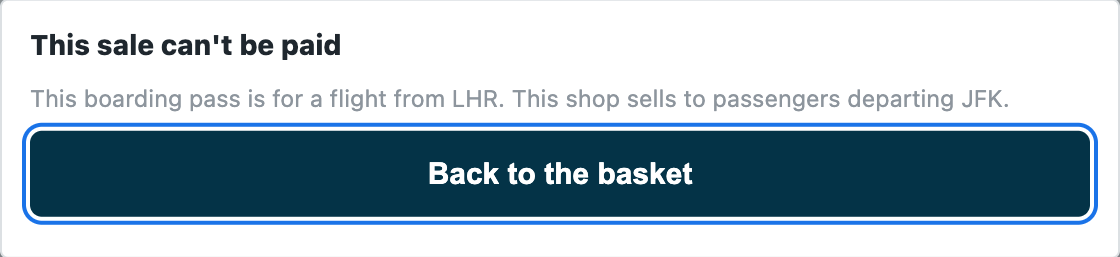
- The cashier scans the boarding pass into the sale. A sale with no pass, an unreadable one, or a flight from another airport or on another day is refused with the reason.
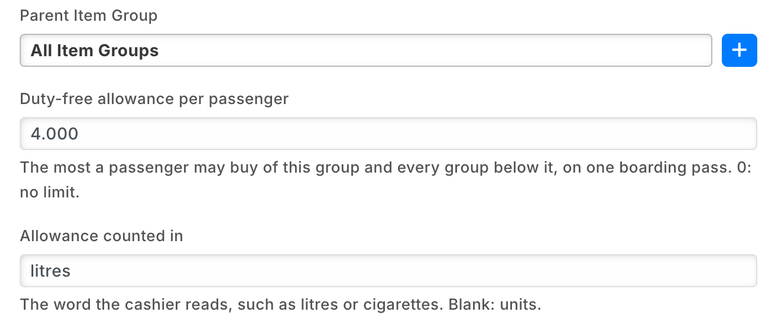
- An allowance on each item group, such as 4 litres of spirits, covering every group below it and counted with the passenger's earlier sales on the same pass; returns give theirs back.
- Each item counts in its group's measure: 0.75 for a 75 cl bottle, 200 for a carton of cigarettes.
- For departures stores or arrivals stores, and only on the tills you choose, so your city stores sell as usual.
Used by the cashier, the item manager and the store's administrator.
At every Pay the sale and its boarding pass (the passenger's name, booking, flight and seat) go to a service iVendNext hosts. It reads your settings, items and the passenger's earlier sales on that pass, and writes nothing. If it cannot answer in time, the sale goes on and is flagged for review.

Apps duty-free stores add
Age-restricted sale check
For alcohol, tobacco and other restricted goods: the customer's age checked at the scan, and held at Pay.
- An age on each item group, such as alcohol 18, or on one item.
- At the scan the till shows the date of birth to compare with the ID; the check is recorded on the sale.
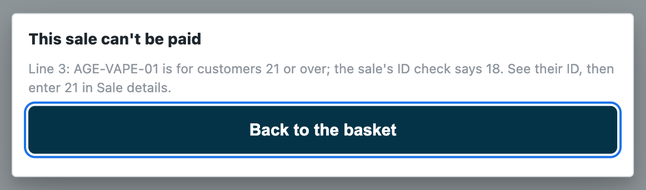
- At Pay a restricted line the check does not cover is refused, even one picked from a list.
Used by the cashier and the item manager. Shared with liquor, grocery, pharmacy and hospitality.
At the scan of a restricted item and at Pay, the sale goes to a service iVendNext hosts. It writes nothing, and no date of birth or ID number is kept.

Members-only check before payment
Items kept for your members, and ID asked on a big sale, at Pay.
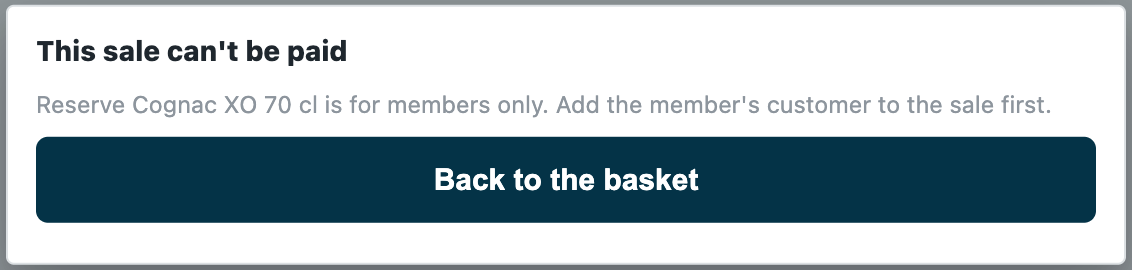
- A sale with a members-only item is refused for a customer who is not a member, in the check's own words.
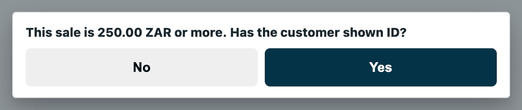
- On a sale at or above your ID limit, the till asks the cashier whether the customer has shown ID.
- Your rules are records in your own back office: a members-only item or item group, a member customer group, an ID limit.
Used by the retail manager and the store manager; the cashier answers at Pay.
At Pay the priced basket goes to a service iVendNext hosts, which reads your rules and writes nothing. If the service does not answer, the sale is refused, so a members-only item is never sold unchecked.
UAE tax invoice receipt
One market's example of a receipt for your market: the till's receipt laid out as a UAE tax invoice.
- Prints Tax Invoice, or Tax Credit Note with the original invoice's number on a return, every label in English beside Arabic; a reprint is marked as a duplicate.
- Shows your company's name, address and tax registration number, the invoice number and date.
- Lists each item with its VAT rate, then the taxable value and the VAT at each rate, the total and the payments.
Used by the cashier; the retail manager chooses it on each till.
A print layout inside your own site; nothing leaves it. Have your tax adviser check it against the rules that apply to you.

iVendNext Loyalty
Points on every basket, spent at the till, in your airport and city stores alike.
- Each member is one of your customers, enrolled in a loyalty plan.
- Points build up from purchases or visits, by rules you set, and the cashier sees the balance during the sale.
Used by the cashier and the marketing manager.
Needs a key from iVendNext; your partner adds it to your site.
Counter hardware
The drawer opens, the receipt prints and the customer display shows the sale.
- Receipts print on the counter's own printer, with no print window.
- The customer display shows your welcome, sale and thank-you lines.
Used by the cashier; set up by the shop administrator.
Needs a key from iVendNext; your partner adds it to your site and tries your own hardware with you before you go live.
Beside your ERP
Your ERP keeps the books. iVendNext runs the stores. iVendNext connects to SAP Business One, SAP S/4HANA, Acumatica, NetSuite and Sage X3, and your iVendNext partner connects any other ERP, a regional one included, with the iVendNext partner kit. Your partner adds the connector to your site.
SAP Business One
Your stores on iVendNext, your books on SAP Business One.
- Customers, suppliers, products, price lists and warehouses kept in step between the two.
- Your stores' sales, returns and stock transfers posted to SAP Business One, with every sync shown and any failure kept to retry.
It sends your sales and stock to your own SAP Business One server, at the address you enter.
Acumatica
Acumatica keeps your books and master data. iVendNext runs your stores.
- Items, units, prices, vendors, customers and warehouses come from Acumatica.
- Your stores' sales, returns and tenders go back to it; released purchase orders and stock moves come to your stores.
It reads from and writes to your own Acumatica, at the address you enter.
SAP S/4HANA, NetSuite and Sage X3
Your stores on iVendNext beside the ERP that keeps your books.
- iVendNext connects to each of the three; your partner sets the connection up for your company.
Any other ERP
A regional or industry ERP, connected by your iVendNext partner or your own developers with the iVendNext partner kit.
What we are adding
Regulated stock register
The books your law asks you to keep of regulated stock, such as liquor and tobacco, kept by iVendNext as you sell and receive.
- One line written with each sale or receipt, numbered without a gap, with a running balance, never edited.
- Each market's books are set up as data: which book, which items, which movements, which columns and which printed layout.
For the store manager and whoever answers to your inspector.
The library keeps growing, and anything else your partner or your own team can build with the iVendNext partner kit.
Build your own
Most of our free apps start as working code on our developer site. Your partner, or your own developers, can copy one, change it to fit your stores, or start something new, such as transit, crew and staff rules built on the allowance app.
Apps built by our partners sit beside ours in the App library, with their own name on them.
Find a partner
An iVendNext partner near you can set up your stores and these apps, build your own version of them, and support you day to day.
Talk to us about your duty-free stores
Tell us how your airport stores work. We will show you the apps that fit, and the iVendNext partner who can set them up near you.
Schedule DemoBuilding retail solutions for travel retail? Talk to our partner team.
The App library for duty-free storesGuides for duty-free stores
As of 24 October 2026.
