
WooCommerce sells online. iVendNext runs the stores.
A WooCommerce POS for retailers with stores and a web store: iVendNext keeps your WooCommerce store's products, prices and stock in step with your stores, and brings every web order, customer and refund into the same stock ledger.
iVendNext POS is the selling app of iVendNext, the open retail platform. The WooCommerce connector is in the App library.
What moves between WooCommerce and your stores
iVendNext owns your products, prices, tax and stock. WooCommerce owns its cart and checkout, and sends every order back.
| From WooCommerce to iVendNext | From iVendNext to WooCommerce |
|---|---|
|
|
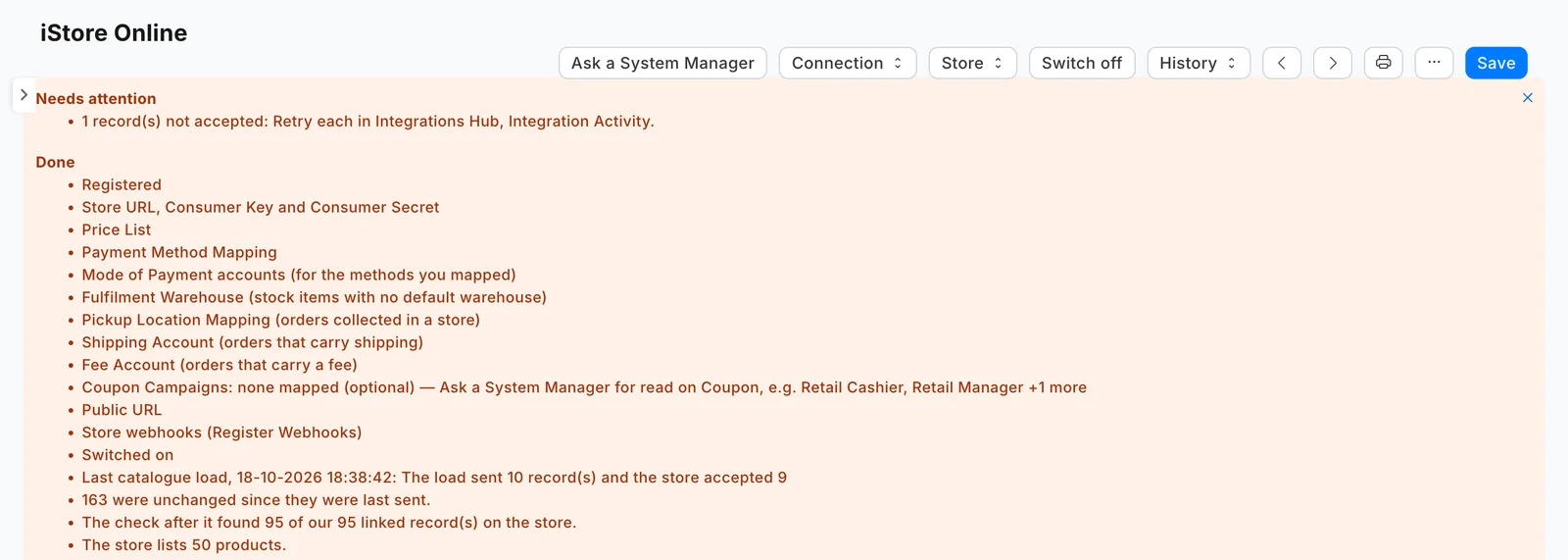
Stock goes out every five minutes by default, and a till sale lowers the web store's figure at the following pass. Every record that crosses shows on the Integrations Hub.
How set-up works
Your iVendNext partner, your web agency or your own IT team sets it up in four steps.
- Prepare the storeServe it over https, set permalinks to anything but Plain, and add the iVendNext for WooCommerce plugin.
- ConnectIn the Integrations Hub, connect a system, choose WooCommerce, enter the store's address, then test and register the connection.
- MapMap the price list, the warehouses the store shows (each with a buffer), the fulfilment warehouse, the accounts and each payment method.
- Switch on and loadSwitch it on and load the catalogue. Put pictures on your items before the first load.
What iVendNext adds to WooCommerce
WooCommerce keeps selling online. iVendNext adds the store floor and the stockroom, built for retail chains with many stores.
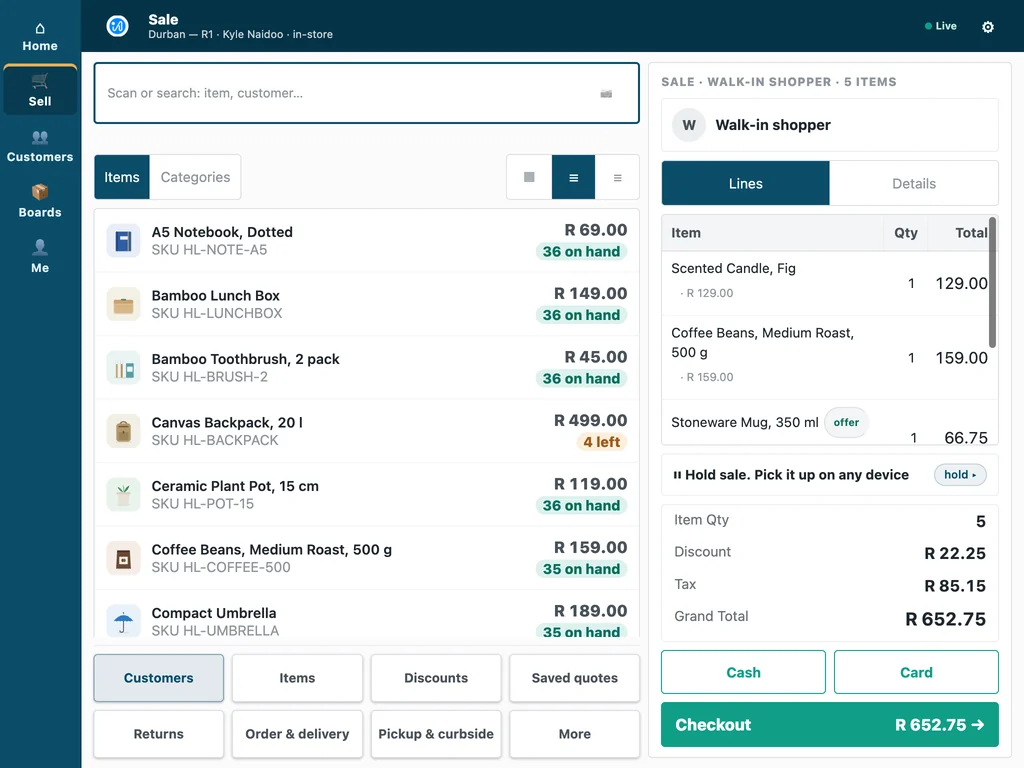
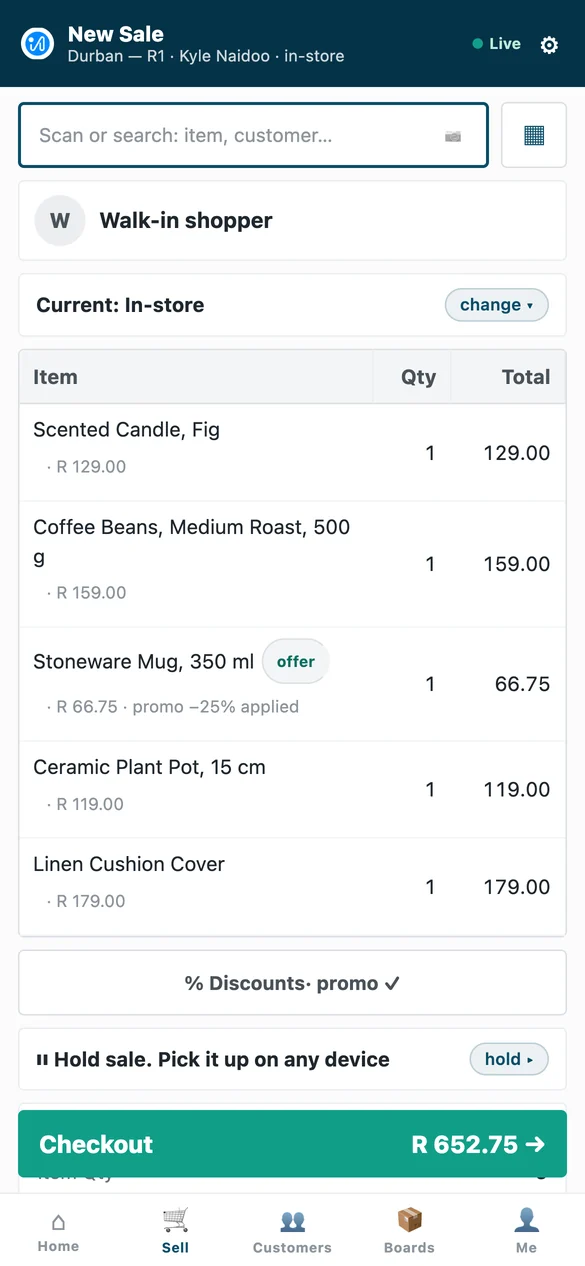
One POS on till, tablet and phone
The same iVendNext POS on a counter till, a tablet and a phone, so staff learn one screen. It keeps selling when the network drops and catches up when it returns, and approvals arrive on the manager's own phone.
Stock work where the stock sits
iVendNext Handheld receives deliveries against the purchase order, moves stock, counts shelves and picks orders on a phone or a rugged scanner, on the same stock ledger the stores sell from.
Loyalty, promotions and payments
Earn and redeem loyalty points, run promotions and sell gift cards at every till, and take card terminals and mobile money, M-Pesa included, through your own payment provider.
Fiscal rules for your market
Tax and e-invoicing rules are configured per country, with country modules such as ZATCA in Saudi Arabia, eTIMS in Kenya and CFDI in Mexico, and partners build modules for other markets with the kit.

For WooCommerce partners
Web agencies that build WooCommerce stores for retailers: refer the retailer to iVendNext for its stores, or build apps on iVendNext as a Solution Partner and sell them to every customer you serve.
Solution Partners · Referral Partners · Talk to our partner team
WooCommerce POS: your questions
How do our stores and our WooCommerce store share stock?
Through one stock ledger. iVendNext sends the stock of the warehouses you choose to WooCommerce every five minutes, holds back a buffer per warehouse, and checks the store's own figures every hour.
Do online orders come into iVendNext?
Yes. Every paid web order arrives with its payment as a sales order or a sales invoice, and an order to collect is booked to the store the shopper chose.
What happens to a sale made while a sync is paused?
It is kept. Switching a connection off stops the sending, but every change is recorded and sent when you switch it back on, and a till sale lowers the web store's figure at the following pass.
Does the POS keep selling if the network drops?
Yes. iVendNext POS keeps selling when the network drops and catches up when it returns, and the web store's stock follows at the five-minute pass after.
Who sets it up, and how does support work?
Your iVendNext partner, your web agency or your own IT team sets it up. Support runs 24 hours a day, every day of the year, and a critical issue has a one-hour response target, as our support page publishes.
What does it cost to start?
Talk to us. Tell us how many stores and tills you run and which systems you use, and we will show you your own stores running on iVendNext.
See your stores and your web store on one ledger
Tell us how your stores and your WooCommerce store work today. We will show you both running on iVendNext.
Book a demoBuilding retail solutions? Talk to our partner team.
