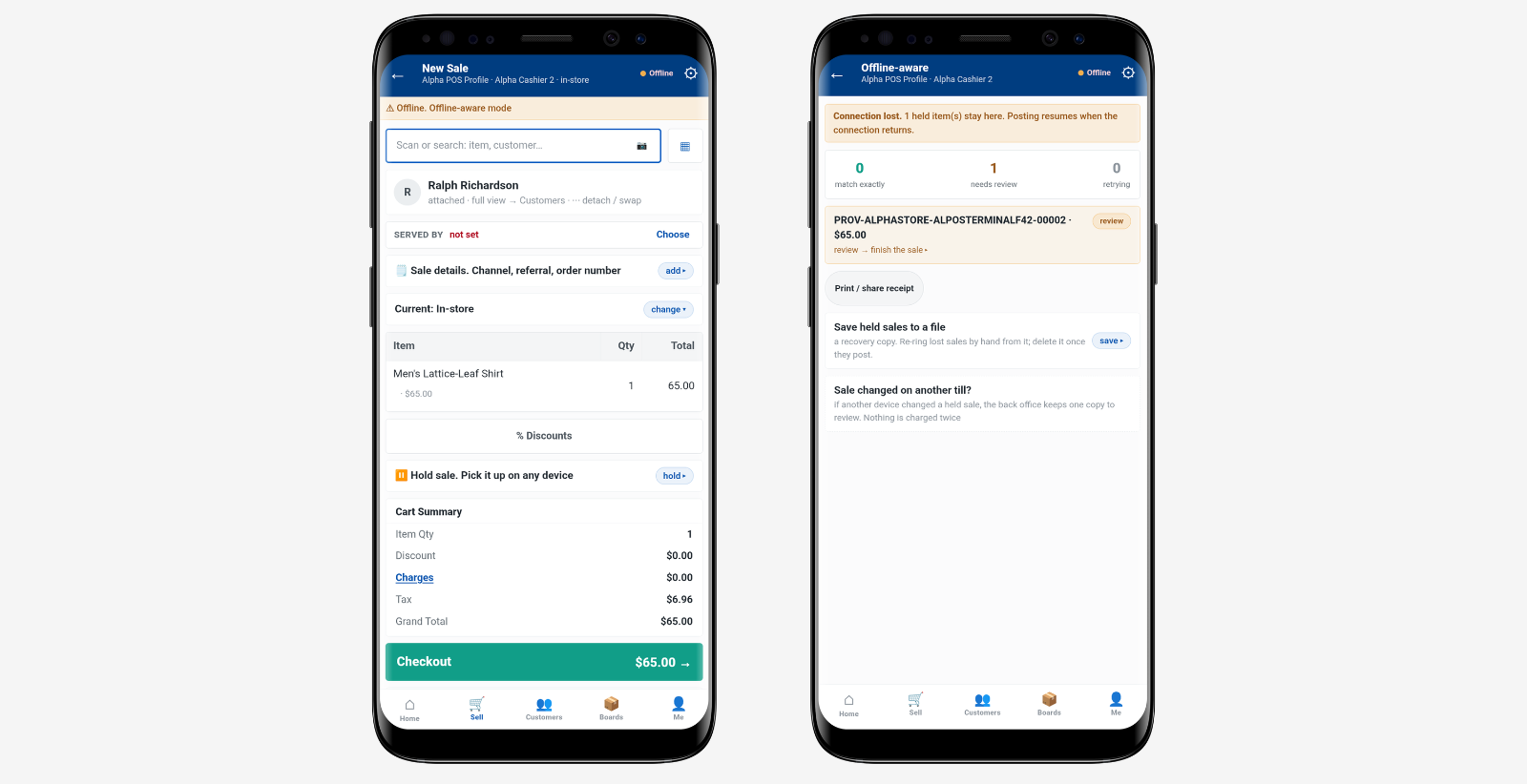
A customer reaches the counter with two items and asks whether the third comes in a larger size, and what happens next says more about a retail point of sale than any feature list will. In some stores the associate scans, takes payment, and suggests trying the branch across town.
In others the associate checks stock everywhere without leaving the sale, arranges delivery, applies the loyalty discount the customer had forgotten about, and closes the transaction in one flow.
Both stores completed a checkout. Only one of them used the sale to update the wider business. A retail point of sale is the full layer around the transaction: pricing, payment, stock, customer data, loyalty, settlement, and reporting. Checkout finishes the sale. The wider system decides what the sale changes once it is finished.
What Checkout Means in Retail
Checkout is the narrow part, and it is worth being precise about how narrow. Scanning items, applying a payment, issuing a receipt, completing the transaction. That is the whole job, and describing it that way is not a criticism. Plenty of retailers need exactly this and nothing more, at least for a while.
Speed Is the Measure That Matters
A good checkout is fast and predictable. Queue length affects whether people come back, and a till that hesitates during a busy hour costs real money in abandoned baskets.
Staff training time counts as well, since a simple interface means a new starter is useful on their first shift rather than their fourth. None of that is a small thing, and a retailer with one location and straightforward selling may need nothing beyond it.
The Job Ends When the Receipt Prints
The limitation is scope rather than quality. Once the receipt prints, checkout has finished. Anything else the sale should have set in motion, such as the stock adjustment, the loyalty accrual, the ledger entry, is now waiting on a person, a batch job, or an export.
That waiting is where the cost accumulates, quietly and in several departments at once, which is why it rarely appears on anyone’s list of problems to fix.
What the Register Should Do Beyond Checkout
The wider system covers what happens around the payment. Pricing and promotions resolve at the line. Returns and exchanges reverse the right records. Tenders reconcile into settlement. Permissions govern what staff can override. Customer and loyalty data updates in the moment. Stock moves. Finance posts. Store reporting reflects all of it.
| Feature | Checkout | Retail Point of Sale |
|---|---|---|
| Purpose | Take payment and close the sale | Run the interaction and update the business |
| What it touches | Tender, receipt, basic sales log | Stock, customers, loyalty, promotions, tax, ledger |
| Typical users | Cashiers on a fixed till | Associates, managers, and finance downstream |
| Main advantage | Speed and simplicity at the counter | Accurate records everywhere the sale has an effect |
| Best use case | Single site, straightforward selling | Multiple locations, channels, or fulfillment promises |
Why Vendors Blur the Two
Both are marketed as point of sale, and the hardware looks identical. A screen, a scanner, a card reader, a drawer. What separates them sits behind the counter rather than on it, in how much of the business that till is wired into.
Intel’s overview of the future of POS technology describes registers moving from transaction devices toward connected retail platforms, which is the shift underneath this whole distinction.
Why the Register Matters More as Stores Grow
A single store can absorb workarounds. The manager knows which promotion is running, remembers which items were transferred, and can correct a stock figure from memory. That knowledge is real and it is valuable, but it lives in one person’s head.
It does not scale to a second site, and it leaves the business entirely when they do. Rebuilding it in a new manager takes months, and during those months the numbers coming out of that store are worth less than they look.
Workarounds Stop Being Free
At three or four locations, the same workaround is now happening four times, slightly differently, with nobody comparing the results.
Head office needs to know what happened without waiting for four managers to send updates, and the updates themselves take time that those managers would rather spend on the floor. Retailers who move to cloud-based retail systems often say inventory accuracy across sites is the first thing that improves.
Consistency Becomes the Product
Customers experience a chain as one brand, so a price that differs between two branches reads as an error rather than as local pricing. The NRF touches on this in its look at what is next in retail tech. Store technology is moving into the flow of daily work, and adoption depends on whether the tools make that work easier rather than adding steps.
Store Execution Areas the Register Should Control

Five areas cover most of what separates a billing terminal from a store operating layer. None of them are unusual or advanced. They come up on an ordinary trading day, in an ordinary store, and each one either resolves at the counter or becomes a task for someone else to pick up later.
Pricing and Promotions
The correct price, discount, and loyalty benefit should resolve automatically when an item scans, without the cashier recalling which campaign is live. Quantity breaks, bundles, and coupons interact, so a conflict resolution engine decides which combination applies.
That protects margin and spares the associate a judgment call with a queue building. It also makes campaign results readable afterwards, because the discount posted against the sale rather than being keyed in as an ad hoc reduction.
Returns and Exchanges
A return is two events. Money goes back and a unit comes back. Both records need correcting together, against the original transaction, with a reason code attached and the original tender respected.
Exchanges add a third movement on top. Read across a quarter, those reason codes tend to reveal a sizing problem, a supplier quality issue, or a product description setting the wrong expectation online.
Tenders and Settlement
One basket can carry several forms of payment at once.
- Cash, card, and mobile wallets, often split across two or three tenders.
- Gift cards and store credit, which need balance checks at the counter.
- Loyalty point redemptions applied as part of the same transaction.
The register handles the split without slowing the lane, then produces the daily settlement evidence finance needs. X and Z tape reports and tender summaries at the lane are what make the next morning’s reconciliation short. Where the till writes into finance and accounting systems directly, that reconciliation becomes a review rather than a rebuild.
Staff Permissions
Role based controls decide who can discount, who can authorize a refund above a threshold, and who can reopen a transaction. Limits should be defined rather than informal, with approvals logged and reason codes required.
The audit trail this produces is useful well beyond compliance. Override patterns by location usually point at a stock, pricing, or training issue, and reading them monthly is cheaper than discovering the same problem through a margin review.
Inventory and Finance Updates
Every sale, return, and transfer should adjust stock and post to the ledger as it happens, not on a sync cycle. Live inventory across locations is also what makes buy online pick up in store, ship from store, and endless aisle substitutions dependable rather than optimistic.
Serial and batch tracking with expiry dates flows through the same transaction, so traceability holds for regulated and perishable lines. A unified omnichannel commerce layer is what keeps those promises honest at the counter.
What to Check Before Choosing Retail Point of Sale Software
Feature lists converge, because every vendor eventually ships every feature that customers ask about. The differences that matter are structural, and structure is harder to see in a slide deck than a capability grid is. A few questions surface it quickly, and each is worth insisting on being shown rather than described.
Architecture and Multi-Store Control
Ask whether the till shares a database with inventory, customers, promotions, and accounting, or connects through integrations. Shared records update immediately. Integrations mean a delay to manage permanently, however short it is today.
Then ask how a change made once at head office reaches every store, and how long that takes. Discussions about cloud POS vs on-prem deployment tend to circle back to this point.
Behavior Under Real Conditions
Demonstrations happen in ideal conditions. Trading does not. Three scenarios are worth walking through before signing anything.
- Connectivity drops mid transaction, and the register keeps handling sales, returns, loyalty, and split tenders until the link returns.
- A basket triggers three overlapping promotions, and the result is predictable rather than whatever resolves first.
- A different store format needs a different screen layout, without custom development for each variation.
Reporting, Loyalty, and Integrations
Check that store analytics are available at the lane and at head office without a report request. Confirm how loyalty tiers, group memberships, and referral credits behave at the counter, including redemption.
Ask which payment gateways, marketplaces, and messaging tools connect through open interfaces, since the answer determines how much custom work sits in your future. Teams work through costs and buying checklist questions for exactly this reason.
Where Billing Ends and Selling Begins
Treating the register as store execution rather than billing is what links till activity to stock levels, customer records, settlement, and financial reporting without a batch sync in between. Some platforms, including iVendNext, are built around that shared-record model, starting with POS and adding inventory, finance, CRM, promotions, and analytics as needs change.
Letting the Register Feed Everything Else
Once those records sit together, forecasting tools can read real transaction patterns.
Anomaly detection notices unusual refund activity at a specific till, and natural language queries let a manager ask about store performance without requesting a report. Retailers exploring AI in retail that gets work done done usually find the counter is where the useful data starts.
Knowing Which One You Actually Need
If your stores mostly ring up items and take payment, a checkout terminal may be all the situation calls for. There is no need to overbuild for a problem you do not have. The calculation changes with the second location, the second channel, or the first fulfillment promise made at the counter.
Retailers working to win customers across every channel reach that point sooner than they expect. At that stage the till is no longer closing a transaction. It is starting several others, which is why a retail point of sale is better judged by what it connects to than by how quickly it prints a receipt.