A fixed till can be the right choice for a modern store. A tablet can become a permanent counter fixture. And a mobile POS device can still leave an associate walking back to checkout.
The hardware tells you surprisingly little about whether a setup will work.
What matters is what happens during a sale. How many products need scanning? Does the customer pay cash? Is the associate explaining product options or processing a basket? Where does the receipt come from?
For retailers running several stores, these details become purchasing decisions repeated across every branch. A small inconvenience in one transaction can turn into a daily frustration for hundreds of employees.
Before comparing devices, look at where work starts, where it stops and what causes staff to move between the two.
What Are You Really Comparing?
The strongest reason to introduce mobile devices is usually visible before anyone opens a product catalogue.
Staff leave customers to check information. They build a purchase on the floor, then enter it again at checkout. Or they carry a device that handles the first few steps but cannot support what comes next.
There is research behind this concern. In Zebra’s 2025 Global Shopper Study, 88% of store associates reported difficulty getting timely help or information, compared with 82% the previous year. Another 90% believed the right technology would help them complete tasks faster. These figures describe employee experiences and expectations, rather than measured improvements from a particular device. For your stores, start with three observations:
- Which tasks regularly take an associate away from a customer?
- Which transactions involve entering the same information twice?
- Which activities work better at a counter because equipment or workspace is needed?
The answers give each device a purpose. Without them, a hardware rollout can simply give staff another screen to manage.
Where Do Staff Lose Time?
A central catalogue does not mean every store should carry the same range.
A large-format branch may stock a deep power-tool range. A smaller urban store may focus on repair and maintenance lines. A trade-heavy location may carry larger pack sizes and more specialist products. Climate, local projects and available floor space can also change what makes sense by region.
The product definition should remain the same even when the assortment changes. Head office can decide which items are ranged by store, region or format without asking each branch to create its own version of the product.
That becomes especially useful when stores are opened, resized or moved into a new format. Retail ops can work from an approved catalogue and range the right items for that location, rather than rebuild product setup from scratch. Local flexibility comes from assortment rules, not from changing the underlying item.
Which Device Suits the Task?
A device may support a function without being comfortable for repeated use. That difference matters over a full shift.
Phones for Short Tasks on the Floor
A phone is relatively easy to carry while helping customers or handling merchandise. It can suit short tasks such as checking a price, finding a size or adding a few products to a basket.
Longer transactions deserve closer inspection. Reviewing many lines, entering customer information or comparing options on a small screen can involve repeated scrolling.
Scanning also needs a realistic trial. If the setup uses a camera, try your actual labels under store lighting. An occasional scan during a demonstration is different from scanning throughout a shift.
Tablets for Longer Customer Conversations
A tablet can make it easier to review a basket or discuss product choices with a customer. The larger screen is useful when both people need to see information.
But that screen has to go somewhere.
Watch what happens when an associate needs both hands to lift a product, open packaging or help a customer. Consider the weight, protective case and available surfaces. A tablet that looks convenient on a stand may feel awkward after being carried for several hours.
If it will move between counter and floor, check which functions remain available once it leaves its dock.
Fixed Tills for Scanning, Cash and Bagging
Repeated scanning, cash handling, receipt printing and bagging all need more than an application.
A fixed checkout position gives retailers a place to arrange those activities. For large baskets, the scanner position and bagging space may matter as much as the screen.
This is also why retaining a fixed till can make sense alongside mobile POS. A sale can begin with an associate and finish at the counter when cash or other equipment is required.
The handover should feel like continuing a purchase, rather than starting it again.
How Unified POS Brings the Devices Together
That handover raises a question beyond hardware: are staff using different devices within the same POS application, or moving the sale between separate systems?
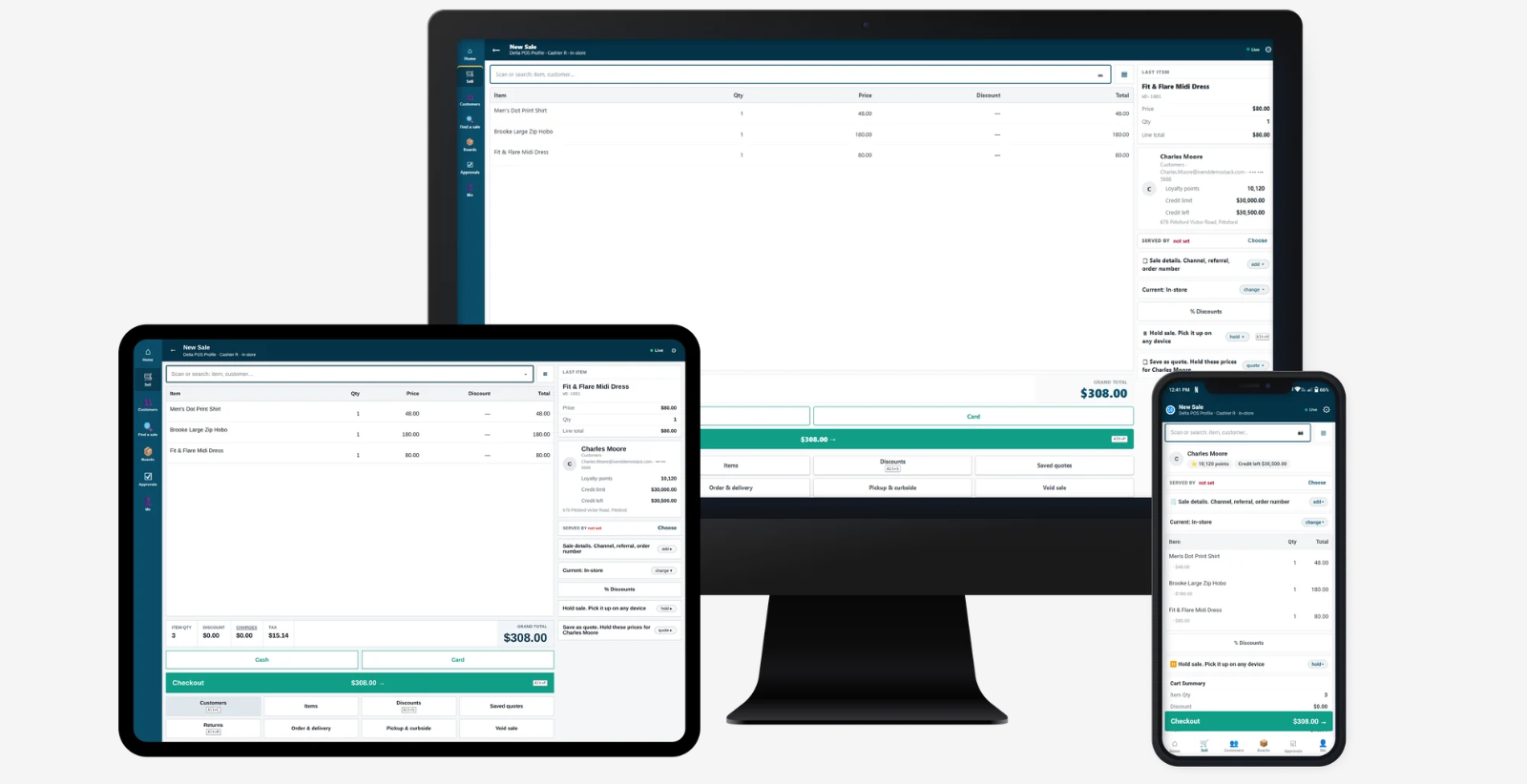
With a unified POS approach, the device can change while staff continue working with the same pricing rules, customer records and basket. Each screen serves a different setting without requiring a separate selling process.
For example, iVendNext Unified POS provides phone, tablet and till layouts within one application. An associate can hold a basket for a colleague to continue, including at the counter.
This gives retailers a practical reason to consider a mixed setup. Floor selling and counter checkout can have different equipment while sharing the sale.
During evaluation, ask to see that connection in action. A common product name across devices is less useful than a basket that staff can actually continue.
Should Every Store Use the Same Setup?
Once the device roles are clear, consider whether the same arrangement belongs in every branch.
A fashion store with frequent fitting-room assistance may have a different requirement from a grocery store processing large baskets. An electronics department may need room for a longer discussion about products and quantities.
These differences justify testing several combinations. They do not automatically justify a different hardware model for every store.
For multi-store retailers, define a few approved setups by store format. This gives branches some flexibility while keeping support, spares and training manageable.
What Should You Test Before Buying?
Ask the supplier to demonstrate complete transactions using the equipment you intend to deploy. Three situations deserve particular attention.
1. A Customer Changes the Payment Method
Confirm how card payments work with your payment provider, and what happens when a customer chooses cash.
In iVendNext, card payments are taken on the bank terminal and recorded in POS. Integrated payment arrangements require the relevant acquirer certification. A device without a cash drawer sends the whole basket to a suitable till for completion.
When assessing iVendNext Mobile POS, check how that payment route fits the work assigned to each device.
2. Another Employee Takes Over
Have one associate create a basket and a colleague continue it at the counter. Then change a quantity, apply a promotion and try a transaction requiring approval.
Can the colleague identify the correct basket? Is it clear who should complete the sale? Does the customer have to repeat information?
These are ordinary trading situations. They belong in the demonstration.
3. The Connection Drops
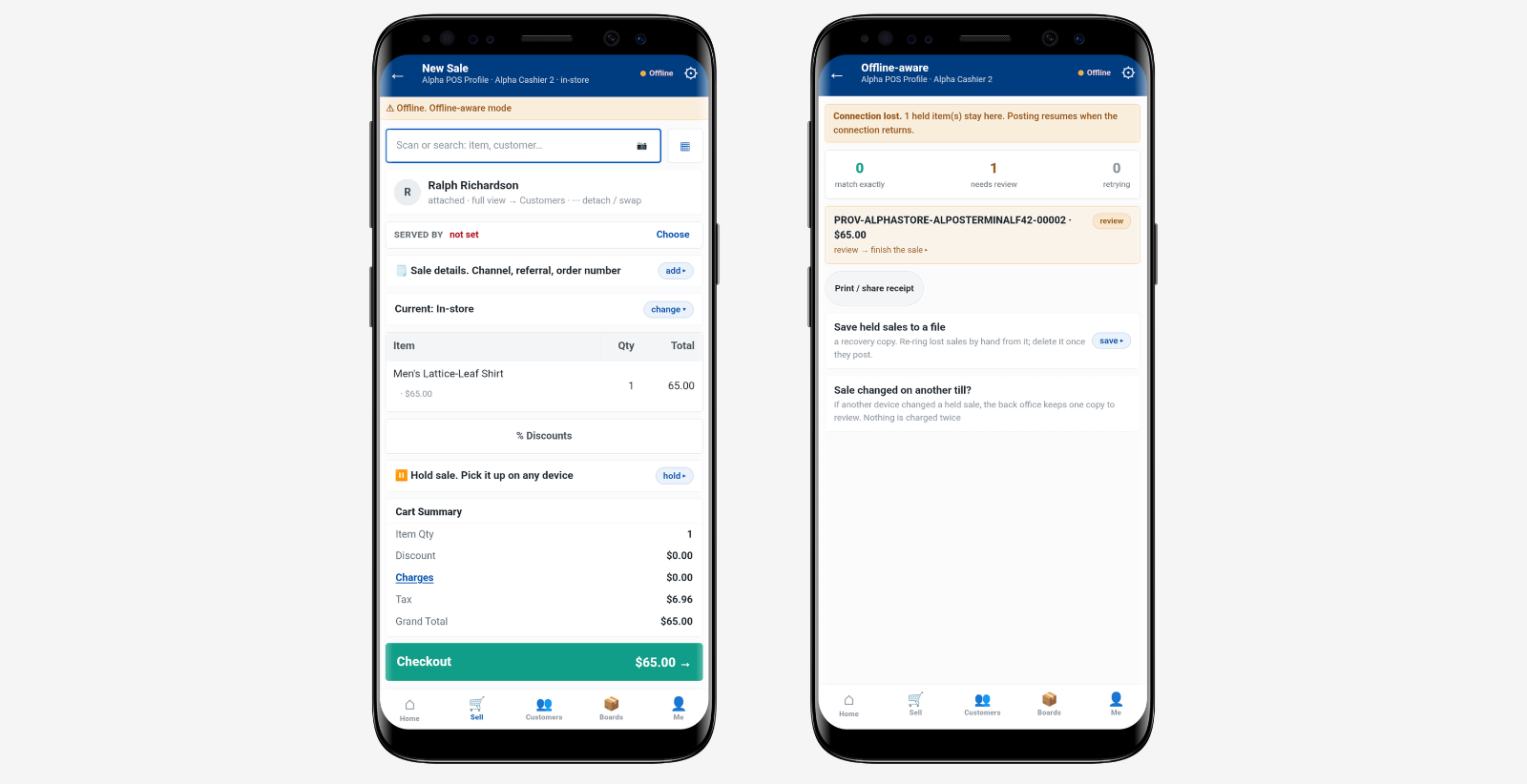
Ask which tasks remain available offline and how stored transactions are submitted afterwards.
For iVendNext, supported everyday sales can continue within configured limits and local fiscal requirements when the trading day is already open. Returns, coupons, split payments and other live-dependent tasks require a connection.
After reconnecting and signing in, the operator sends stored sales for checking and posting, with exceptions reviewed. Training needs to cover that process alongside the device itself.
Let the Pilot Decide
A successful demonstration is enough to begin a pilot. It is not enough to equip every store.
Include branches with different workloads and employees who will use the devices throughout their shifts. Observe a busy period, device sharing and charging between users.
Measure completion time for specific tasks, failed attempts and trips back to the counter. Keep simple purchases separate from returns and transactions requiring approval.
Then compare the full cost: devices, cases, stands, payment equipment, peripherals, spares, management and training.
Before placing the order, your team should be able to explain why each device is there, which transactions it handles and what happens when a sale needs another location.