BUILD

Extensible retail software that stays yours

Part of iVendNext POS, the selling app of iVendNext, the open retail platform.

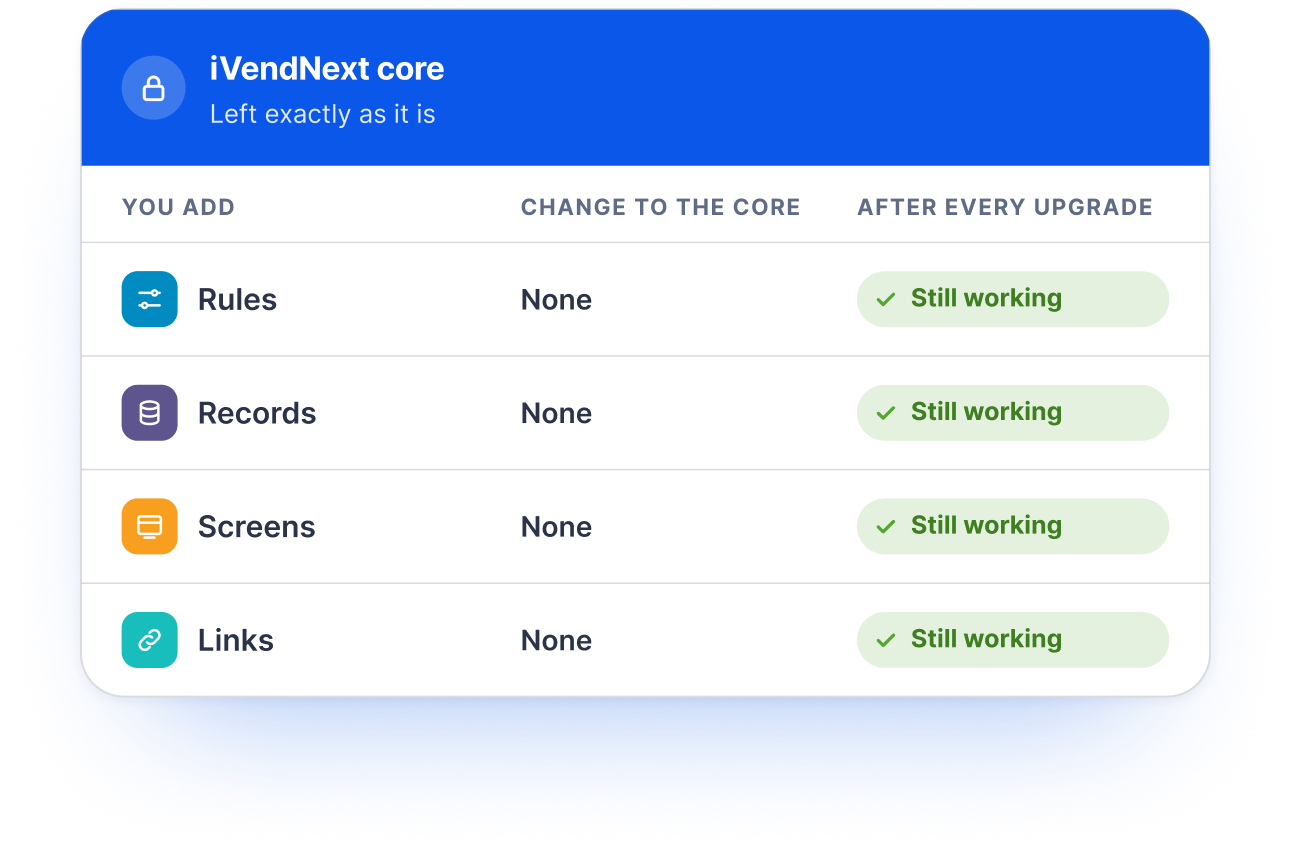
Add your own rules, records, screens and links to iVendNext without changing its core, and keep every one of them working through every upgrade.

Five ways in

Customise retail software without changing the core

Every special need becomes an app beside iVendNext, never a change inside it. Your team, your partner or your own AI picks the simplest of five ways in.

1. Configure

Settings, workflows, print formats, numbering, permissions, reports and till screens in iVendNext Desk and POS Studio. No code.
Your code runs nowhere

2. Outside app

Your own service, in any language, on your own server. It reads and writes records over the REST API and reacts to the event feed of what happens in the stores.
Your code runs on your server

3. Till key

A key on the till that calls your web service and shows the cashier a message, or adds details to the sale.
Your code runs on your server

4. Manifest

Your own records, fields, print formats, workflows and numbering, shipped as data that the retailer’s administrator installs.
Your code runs nowhere: it is data

5. Sandboxed function

Logic compiled to WebAssembly that runs on the till itself, even when the network is down, at an extension point that offers one.
Your code runs in a sandbox we run

Configure first

Much of what retailers ask for needs no code

Your administrator or partner sets it up in iVendNext Desk and POS Studio, and it travels through every upgrade untouched.
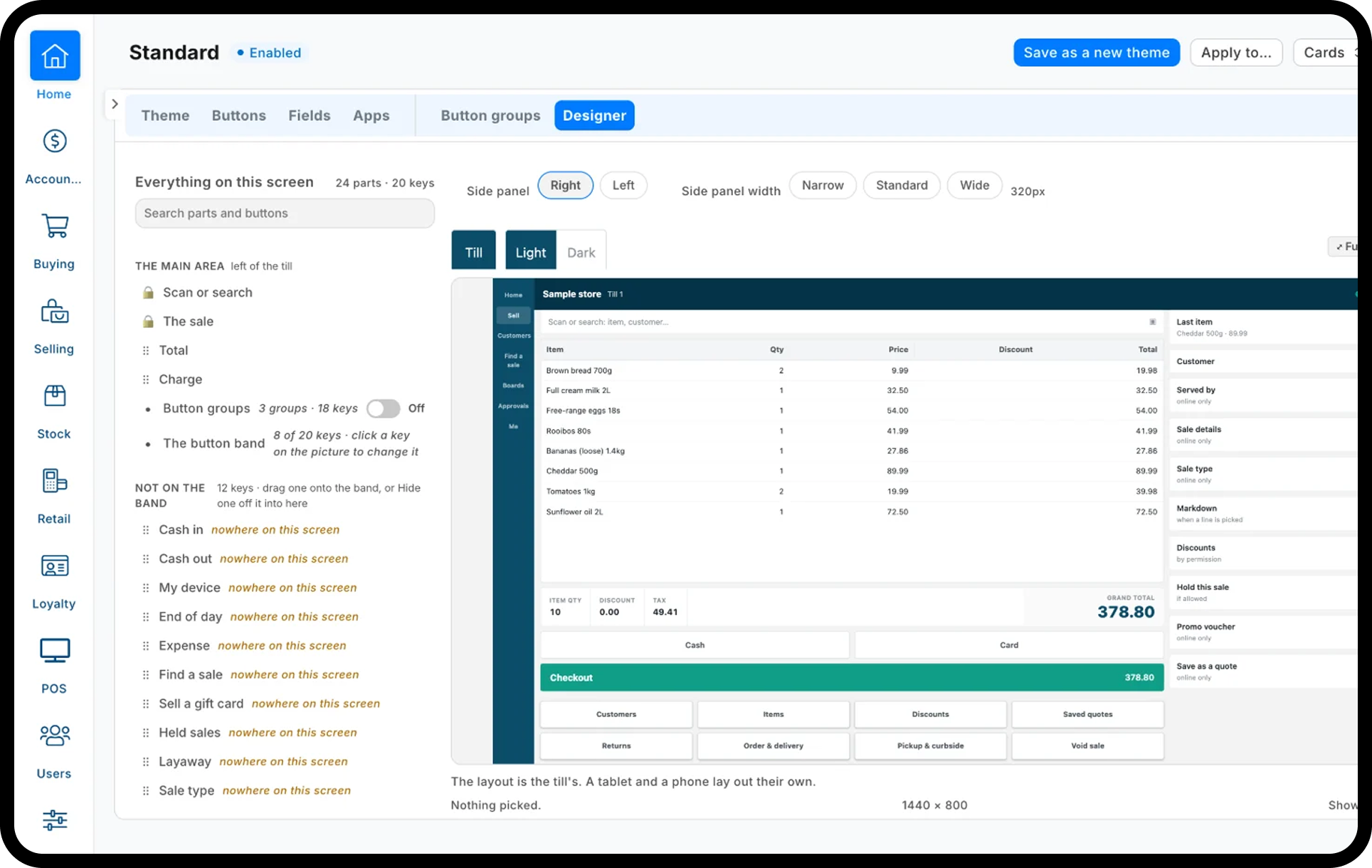
Till screens with POS Studio

Lay out the keys, buttons and prompts each role needs at the till, on the counter, the tablet and the phone.

  • Quick keys and layouts by role

  • An approval ladder for discounts, markdowns and open prices

  • Age checks at the till, from the App library

Fields, forms and workflows

Add fields, make them required when a condition holds, and move documents through approval stages with the right people.

  • Custom fields and print formats

  • Workflow stages and approvals

  • Your own numbering

Reports and workspaces

Build reports and dashboards for each team, and give each role a workspace with its tasks, lists and figures.

  • Report builder with saved views

  • Role workspaces

  • Notifications by role

Connect anything

Link the systems you already run

Your ERP keeps the books; iVendNext runs the stores. Connectors for SAP Business One, SAP S/4HANA, Acumatica, NetSuite, Sage X3, WooCommerce and many others report to one Integrations Hub, where your team sees what synced and closes every mismatch with a reason.

SAP Business One  ·  SAP S/4HANA  ·  Acumatica  ·  NetSuite  ·  Sage X3  ·  WooCommerce

For everything else, the REST API, the event feed and webhooks link iVendNext to it, in any language.

REST API

Every record, read and written over HTTPS with your app’s own key.

Event feed

What happens in the stores, for any language.

Webhooks

Sent to your own public address.

Build a retail app with AI

Describe it. Your AI builds it. Our checks keep it safe.

Partners and retail IT teams increasingly write code with an AI assistant. iVendNext is made to be read by one, and to keep what it builds safe.

Readable by your assistant

Every API operation is described in a machine-readable file, and every way in has a written recipe and a prompt recipe.

Checked before it ships

One check command tells the assistant when something breaks one of the four rules, before anything reaches a store.

Safe by construction

Apps add and never patch, and money enters a sale only in plain view, so an app written with AI stays in its own lane.

Your AI, your choice

Claude, ChatGPT, GitHub Copilot or a free open model. Our MCP server runs on your own key, read-only unless you confirm a change.

How it goes

1

Describe the need to your assistant, in your own words.

2

Your assistant reads the kit and picks the simplest way in.

3

It builds and runs the check, and fixes what the check names.

4

Deploy to your sandbox site, try it on a till, then deliver it.

Upgrade-safe

Four rules keep every app working through upgrades

We upgrade every retailer together. These rules are why your apps come with you, and why a partner can afford to invest in one.

1. Money enters a sale visibly, before payment.

A price or discount may come from your service, but a total never changes after the cashier has seen it.

2. iVendNext’s own code stays as shipped.

Apps add; they never patch. That is how every retailer is upgraded at once.

3. Your code runs on your server.

Inside the retailer’s site you ship data, not code.

4. Your screens use the doors we document.

Native screens, declared buttons, your page inside our frame, or your own app with Sign in with iVendNext.

Versioned

Every extension point, API call and manifest format

12 months

Each version is served after its successor ships

2.0.0.652

The general release of iVendNext POS, 18 October 2026

Who builds

One path for every builder

Your partner

Your iVendNext partner builds what your stores need and owns it. Customisation is their business.

Your own IT team

Your developers build with the same kit, the same doors and the same checks, in the language they already use.

Any developer

The kit is open on GitHub. Any developer can build on it, and ask us to list what they build in the App library.

Questions IT teams ask

Building on iVendNext

Almost anything a retailer does differently: till screens, fields, records, print formats, workflows, approvals, reports and links to other systems. Each is configured, shipped as data, or built as an app beside iVendNext, through documented extension points.

Yes, when they use the documented doors. Apps add rather than patch, and each version of an extension point, API call or manifest format is served for 12 months after its successor ships.

Yes. Point your assistant at the kit’s instructions; it learns the five ways in and the four rules, builds what you describe, and runs the kit’s check before you deploy to your sandbox site.

The kit’s check command refuses anything that breaks the four rules, before it reaches a store. A retailer’s administrator then installs an app only with consent, and the app reaches the data only through its own user and key.

Your iVendNext partner, your own IT team, or both. They all use the same open kit and the same checks.

SAP Business One, SAP S/4HANA, Acumatica, NetSuite, Sage X3, WooCommerce and many others. The REST API and the event feed link the rest.

Build what your stores need

Book a demo to see the platform your team will build on, or send your developers straight to the kit.